manuals.online logo
Brands
  1. Home
  2. •
  3. Brands

  4. •

  5. ADTRAN
  6. •
  7. Control Unit
  8. •
  9. ADTRAN Job Aid+ Total Access 5000 1442910G1C User manual

ADTRAN Job Aid+ Total Access 5000 1442910G1C User manual

Other ADTRAN Control Unit manuals

ADTRAN Job Aid+ 1442707G1 User manual

ADTRAN

ADTRAN Job Aid+ 1442707G1 User manual

ADTRAN SFP User manual

ADTRAN

ADTRAN SFP User manual

ADTRAN E220 HFAC HDSL Product manual

ADTRAN

ADTRAN E220 HFAC HDSL Product manual

ADTRAN MX2820 SCU User manual

ADTRAN

ADTRAN MX2820 SCU User manual

ADTRAN 1200222L1 User manual

ADTRAN

ADTRAN 1200222L1 User manual

ADTRAN NetVanta SHDSL User manual

ADTRAN

ADTRAN NetVanta SHDSL User manual

ADTRAN Total Access 351 Series User manual

ADTRAN

ADTRAN Total Access 351 Series User manual

ADTRAN OC-3 User manual

ADTRAN

ADTRAN OC-3 User manual

ADTRAN 1200065L1-1 User manual

ADTRAN

ADTRAN 1200065L1-1 User manual

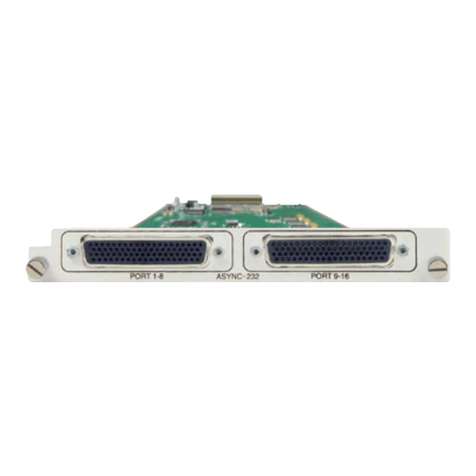
ADTRAN Async-232 User manual

ADTRAN

ADTRAN Async-232 User manual

ADTRAN TRACER QUAD E1 User manual

ADTRAN

ADTRAN TRACER QUAD E1 User manual

ADTRAN Job Aid+ 1442704PG2 User manual

ADTRAN

ADTRAN Job Aid+ 1442704PG2 User manual

ADTRAN Job Aid+ 1442910G2 User manual

ADTRAN

ADTRAN Job Aid+ 1442910G2 User manual

ADTRAN T3 User manual

ADTRAN

ADTRAN T3 User manual

ADTRAN Total Access 1500 FT1 DP Instruction Manual

ADTRAN

ADTRAN Total Access 1500 FT1 DP Instruction Manual

ADTRAN Job Aid+ 1442981G8C User manual

ADTRAN

ADTRAN Job Aid+ 1442981G8C User manual

ADTRAN SFP User manual

ADTRAN

ADTRAN SFP User manual

ADTRAN Job Aid+ 1442804G1 User manual

ADTRAN

ADTRAN Job Aid+ 1442804G1 User manual

ADTRAN E220 HFAC HDSL Instruction Manual

ADTRAN

ADTRAN E220 HFAC HDSL Instruction Manual

ADTRAN Job Aid+ 1442940G1 User manual

ADTRAN

ADTRAN Job Aid+ 1442940G1 User manual

ADTRAN jobAid+ SFP+ 11.3 G BIDI 20KM User manual

ADTRAN

ADTRAN jobAid+ SFP+ 11.3 G BIDI 20KM User manual

ADTRAN Quad T1 User manual

ADTRAN

ADTRAN Quad T1 User manual

ADTRAN Job Aid+ 1442982G7C User manual

ADTRAN

ADTRAN Job Aid+ 1442982G7C User manual

ADTRAN Job Aid+ 1442707G3 User manual

ADTRAN

ADTRAN Job Aid+ 1442707G3 User manual

Popular Control Unit manuals by other brands

Seitz 14A80 user manual

Seitz

Seitz 14A80 user manual

Wilo RS485 Installation and operating instructions

Wilo

Wilo RS485 Installation and operating instructions

Becker CentralControl CC41 Commissioning Instruction

Becker

Becker CentralControl CC41 Commissioning Instruction

SICK CDB650 operating instructions

SICK

SICK CDB650 operating instructions

Panduit NetKey NKP5E88M Series installation instructions

Panduit

Panduit NetKey NKP5E88M Series installation instructions

MX Options Concentric Petite Fitting instructions

MX

MX Options Concentric Petite Fitting instructions

Clean Water Systems Fleck 2510 Installation & start?up guide

Clean Water Systems

Clean Water Systems Fleck 2510 Installation & start?up guide

Fairchild FSB44104A user guide

Fairchild

Fairchild FSB44104A user guide

LEGRAND Wattstopper LMIN-104 installation instructions

LEGRAND

LEGRAND Wattstopper LMIN-104 installation instructions

PMK ATT10BNCS instruction manual

PMK

PMK ATT10BNCS instruction manual

Tektronix TDS3FFT user manual

Tektronix

Tektronix TDS3FFT user manual

Woodward easYgen Technical manual

Woodward

Woodward easYgen Technical manual

Balluff BNI EIP-502-105-R015 user guide

Balluff

Balluff BNI EIP-502-105-R015 user guide

NXP Semiconductors TWR-LS1021A Getting started

NXP Semiconductors

NXP Semiconductors TWR-LS1021A Getting started

Advantech PCM-3117 Startup manual

Advantech

Advantech PCM-3117 Startup manual

Danfoss MCO 101 manual

Danfoss

Danfoss MCO 101 manual

Moons' Lin Engineering R701P user manual

Moons'

Moons' Lin Engineering R701P user manual

Aventics RV1 operating instructions

Aventics

Aventics RV1 operating instructions

manuals.online logo
manuals.online logoBrands
  • About & Mission
  • Contact us
  • Privacy Policy
  • Terms and Conditions

Copyright 2025 Manuals.Online. All Rights Reserved.

jobAid
DESCRIPTION
The 10 Gigabit Ethernet XFP, 1310 nm, (XFP) optical transceiver
is a fully duplex serial electric, serial optic device. It has both
transmit and receive functions and provides a high speed serial
link at 10 Gb/s. Installed into an appropriate host module, the
XFP provides a 10 Gigabit interface to the supporting system.
The transmit side of the XFP converts serial NRZ electrical data
at the 10 Gb/s line rate to a standard compliant optical signal.
The receive side of the XFP converts the incoming DC balanced
serial NRZ optical data at the 10 Gb/s line rate into serial
electrical data.
NOTE
To ensure compatibility, refer to the ADTRAN documentation
provided with the host module.
The XFP has the following features:
1310 nm optical signals for up to 10 km reach
Low power consumption (<2.0 W max)
Bit error rate (<1x10-12)
Excellent EMI performance
CAUTION
!
Due to compliance certification requirements, only XFPs
supplied by ADTRAN are to be used with the host module.
ADTRAN cannot certify system integrity with other XFPs.
Operational Specifications
Optical Specifications:
Transmit wavelength: 1310 nm
Receive wavelength: 1260 to 1355 nm
Data rate: 9.95 Gb/s to 11.35 Gb/s
Optical transmit level: –6.0 to –1.0 dBm
Total Access 5000
10 Gigabit Ethernet XFP, 1310 nm,
Commercial Temperature
Optical receive level sensitivity: –14.4 dBm
Optical distance: 10 km maximum
Optical connectors: LC
Extended Environmental Support:
Operational temperature range: –5°C to +70°C
Storage temperature range: –40°C to +85°C
Relative humidity to 85%, noncondensing
INSTALLATION
Inspect the XFP. If damaged, file a claim with the carrier and then
contact ADTRAN Customer Service.
To install the XFP into an appropriate module, complete the
following steps:
1. Insert the XFP into the XFP cage on the circuit board of the
host module with the latch handle facing outward. Slide the
XFP all the way into the XFP cage.
NOTE
The latch on the XFP is for removal only. When removing the XFP,
rotate the latch away from the XFP cage until a physical click occurs.
The XFP should slide easily out of the cage.
2. Using thumb and forefinger, exert adequate pressure to ensure
the XFP is completely seated in the XFP cage.
3. Do not remove the connector plug until the optical fiber
connection is made.
NOTICE
It is recommended that the connector plug remain on whenever the
transceiver optical fiber connector is not inserted.
4. Continue the installation and turn-up of the host module using
the instructions in the Job Aid provided with that module, or
using the Installation and Maintenance Guide (I&M), available
online at www.adtran.com.
PROVISIONING
The XFP is not directly provisionable. To provision the XFP, access
the menu system of the host module. Refer to the Provisioning
section of the Job Aid or Installation and Maintenance Practice
provided with the host module for provisioning details.
CLEI: BVL3AFJD_ _
Product P/N: 1442910G1C
Issue Date: July 2012
Document P/N: 61442910G1C-22B
C A U T I O NC A U T I O N !
SUBJECT TO ELECTROSTATIC DAMAGE
OR DECREASE IN RELIABILITY.
HANDLING PRECAUTIONS REQUIRED.
Warranty: ADTRAN will replace or repair this product within the warranty period if it does not
meet its published specifications or fails while in service. Warranty information can
be found online at www.adtran.com/warranty.
©2012 ADTRAN, Inc. All Rights Reserved.
ADTRAN CUSTOMER CARE:
From within the U.S. 1.800.726.8663
From outside the U.S. +1 256.963.8716
PRICING AND AVAILABILITY 1.800.827.0807
*61442910G1C-22B*
SAFETY AND REGULATORY COMPLIANCE
WARNING
!
Read all warnings and cautions before installing or servicing this
equipment.
CAUTION
C
The XFP is a Class 1 Laser Product and complies with the Laser
Safety requirements of FDA 21CFR 1040.10 and 1040.11, and
EN60825-1 and -2. The XFP is NRTL listed and CB Certified to all
applicable American and European safety standards.
For continued compliance with the above laser safety standards,
only approved Class 1 modules from our approved vendor list,
located on the ADTRAN website, should be installed in ADTRAN
products.
CAUTION
!
Electrostatic Discharge (ESD) can damage electronic modules.
When handling modules, wear an antistatic discharge wrist
strap to prevent damage to electronic components. Place
modules in antistatic packing material when transporting or
storing. When working on modules, always place them on an
approved antistatic mat that is electrically grounded.
Per GR-1089-CORE, the ADTRAN system in which the SFP is
being deployed is designed and intended for installation as
part of a Common Bonding Network (CBN). The ADTRAN
system in which the SFP is being deployed is not designed nor
intended for installation as part of an Isolated Bonding
Network (IBN).
Per GR-1089-CORE Section 9, the XFP does not have an
internal DC connection between battery return and frame
ground. The XFP can be installed in a DC-I (isolated) or DC-C
(common) installation. For installations where other cards or
the host system have internal connections between battery
return and frame ground, the system would be intended for
deployment only in a DC-C installation.
The ADTRAN system chassis frame ground terminal must be
connected to a reliable earth ground to ensure that the metal
enclosure of the XFP is properly grounded via the backplane
connector.
NOTE
The Gigabit Ethernet port(s) are optical and therefore are not
classified as any type of port as defined in Appendix B of GR-
1089-CORE Issue 4.
This product is designed to be deployed in GR-3108-CORE
environmental Class 1.
The XFP meets or exceeds all the applicable requirements of
NEBS, Telcordia GR-63-CORE, and GR-1089-CORE. The XFP is
intended for deployment in Central Office type facilities, EEEs,
EECs, and locations where the NEC applies (for example,
Customer Premises). The XFP is to be installed in ADTRAN
products in Restricted Access Locations only, and installed by
trained service personnel.
This device complies with FCC 47 CFR Part 15, Class B. Operation
is subject to the following two
conditions:
1. This device may not cause harmful interference.
2. This device must accept any interference received, including
interference that may cause undesired operation.
Changes or modifications not expressly approved by ADTRAN
could void the user's authority to operate this equipment.
The XFP is designed to meet the following environmental classes:
ETSI EN 300 019-1-1 Classification of environmental conditions;
Storage, Class 1.2
ETSI EN 300 019-1-2 Classification of environmental conditions,
Transportation, Class 2.3
ETSI EN 300 019-1-3 Classification of environmental conditions,
Stationary use at weather-protected locations, Class 3.3
The equipment is designed to function without degradation
during exposure to all test severities per Class 3.3.