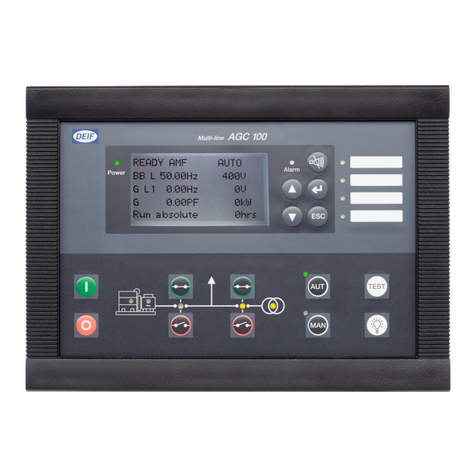
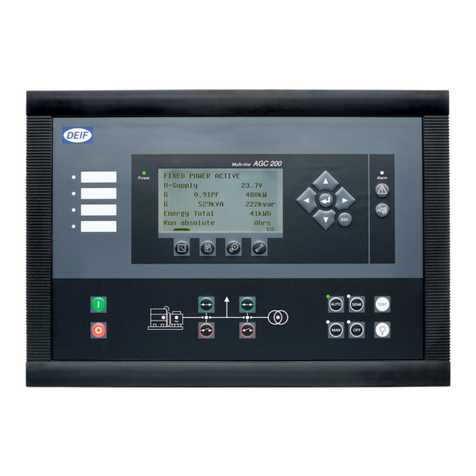
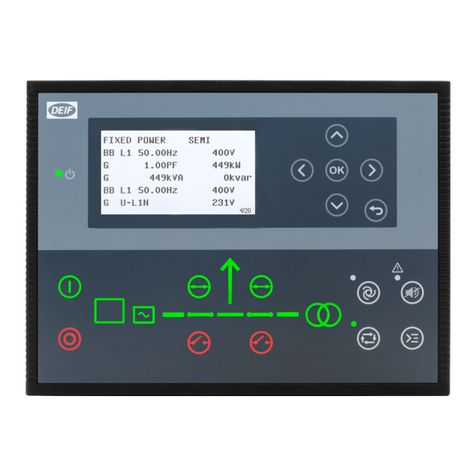
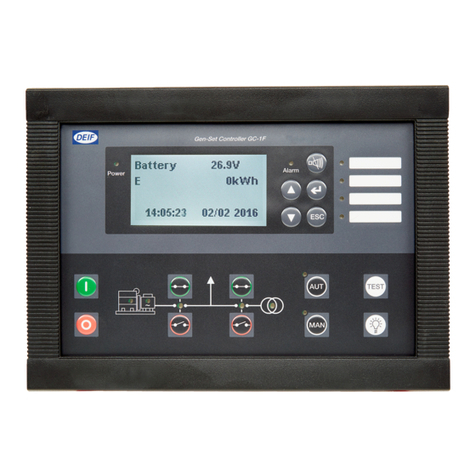
Deif ASC User manual

DEIF A/S · Frisenborgvej 33 · DK-7800 Skive · Tel.: +45 9614 9614 · Fax: +45 9614 9615 · info@deif.com · www.deif.com
INSTALLATION INSTRUCTIONS
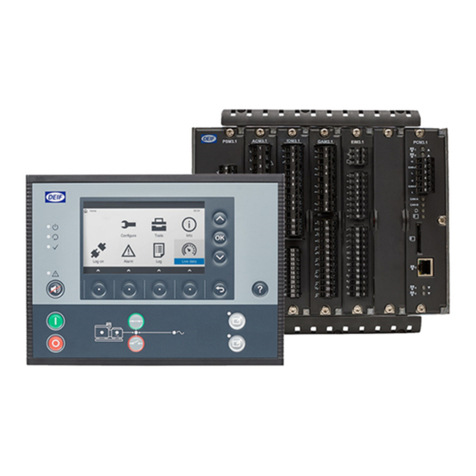
Automatic Sustainable Controller
ASC
● Mounting
● Board slot positions
● Terminal strip overview
● I/O lists
● Wiring
Document no.: 4189341076B
SW version: 4.05.x or later

1. General information
1.1. Warnings, legal information and safety.................................................................................................. 4
1.1.1. Warnings and notes ......................................................................................................................4
1.1.2. Legal information and disclaimer ..................................................................................................4
1.1.3. Safety issues ................................................................................................................................ 4
1.1.4. Electrostatic discharge awareness ............................................................................................... 4
1.1.5. Factory settings ............................................................................................................................ 5
1.2. About the installation instructions...........................................................................................................5
1.2.1. General purpose ...........................................................................................................................5
1.2.2. Intended users ..............................................................................................................................5
1.2.3. Contents and overall structure ......................................................................................................5
2. General product information
2.1. ASC product information........................................................................................................................ 6
2.2. Standard functions................................................................................................................................. 6
2.3. Standard and optional applications........................................................................................................ 7
2.4. Off-grid applications, power management..............................................................................................8
2.4.1. Off-grid applications, power management.....................................................................................8
2.5. Off-grid, stand-alone mode.....................................................................................................................8
2.6. Grid-tied applications, power management..........................................................................................10
2.6.1. Grid-tied applications, power management................................................................................. 10
2.7. Grid-tied, stand-alone........................................................................................................................... 11
2.7.1. Grid-tied, stand-alone.................................................................................................................. 11
2.8. Combination (off-grid + grid-tied), power management........................................................................12
2.8.1. Combination (off-grid + grid-tied), power management............................................................... 12
2.9. Combination (off-grid + grid-tied), stand-alone.....................................................................................13
2.9.1. Combination (off-grid + grid-tied), stand-alone............................................................................ 13
3. Mounting
3.1. ASC mounting and dimensions............................................................................................................ 14
3.1.1. Mounting of the unit..................................................................................................................... 14
3.1.2. Unit dimensions........................................................................................................................... 14
3.1.3. Panel cutout.................................................................................................................................15
3.1.4. Drilling template in mm (inches) ................................................................................................. 16
3.1.5. Mounting instructions...................................................................................................................16
3.1.6. Tightening torques....................................................................................................................... 16
4. Hardware
4.1. Board slot positions..............................................................................................................................18
4.2. Unit top side overview.......................................................................................................................... 19
4.2.1. Unit top side overview..................................................................................................................19
4.3. Terminal strip overview.........................................................................................................................19
4.4. Input/output lists................................................................................................................................... 22
4.4.1. Slot #1, power supply PCB..........................................................................................................23
4.4.2. Slot #2, serial communication (standard).................................................................................... 24
4.4.3. Slot #2, 7 digital inputs (option M13.2)........................................................................................ 24
4.4.4. Slot #2, relay outputs (option M14.2)...........................................................................................25
4.4.5. Slot #3, 13 binary inputs and 4 relay outputs (standard/M12)..................................................... 26
4.4.6. Slot #4, 7 digital inputs (option M13.4)........................................................................................ 27
4.4.7. Slot #4, relay outputs (option M14.4)...........................................................................................27
4.4.8. Slot #4, analogue outputs for inverter control or transducer signals (option E2).........................27
4.4.9. Slot #5, AC measuring.................................................................................................................28
4.4.10. Slot #6, 7 digital inputs (option M13.6)...................................................................................... 28
4.4.11. Slot #6, 4 relay outputs (option M14.6)...................................................................................... 29
4.4.12. Slot #6, 4 analogue inputs (option M15.6).................................................................................29
4.4.13. Slot #6, analogue outputs for transducer (option F1)................................................................ 29
4.4.14. Slot #7, I/O interface card (standard/M4)...................................................................................30
4.4.15. Slot #8, serial communication (option H2.8)..............................................................................31
ASC installation instructions 4189341076
UK
DEIF A/S Page 2 of 47

4.4.16. Slot #8, 7 digital inputs (option M13.8)...................................................................................... 31
4.4.17. Slot #8, 4 relay outputs (option M14.8)......................................................................................32
4.4.18. Slot #8, 4 analogue inputs (option M15.8).................................................................................32
5. Wirings
5.1. AC connections.................................................................................................................................... 33
5.1.1. Neutral line (N).............................................................................................................................33
5.1.2. Current transformer grounding.................................................................................................... 33
5.1.3. Fuses...........................................................................................................................................33
5.1.4. Breaker wiring..............................................................................................................................33
5.1.5. 3-phase wiring............................................................................................................................. 34
5.2. DC connections....................................................................................................................................34
5.2.1. Digital inputs................................................................................................................................ 34
5.2.2. Analogue inputs (option M15.X).................................................................................................. 35
5.2.3. External set points....................................................................................................................... 36
5.2.4. Multi-inputs (102, 105, 108).........................................................................................................36
5.2.5. Transistor outputs (open collector outputs)................................................................................. 38
5.3. Communication.................................................................................................................................... 39
5.3.1. CANbus....................................................................................................................................... 39
5.3.2. Modbus (option H2)..................................................................................................................... 40
5.3.3. Display cable (option J)............................................................................................................... 42
6. Technical information
6.1. Technical specifications, ASC.............................................................................................................. 43
ASC installation instructions 4189341076
UK
DEIF A/S Page 3 of 47

1. General information
1.1 Warnings, legal information and safety
1.1.1 Warnings and notes
Throughout this document, a number of warnings and notes with helpful user information will be presented.
To ensure that these are noticed, they will be highlighted as follows in order to separate them from the gener-
al text.
Warnings
Warnings indicate a potentially dangerous situation, which could result in death, personal in-
jury or damaged equipment, if certain guidelines are not followed.
Notes
Notes provide general information, which will be helpful for the reader to bear in mind.
1.1.2 Legal information and disclaimer
DEIF takes no responsibility for installation or operation of the generator set. If there is any doubt about how
to install or operate the engine/generator controlled by the Multi-line 2 unit, the company responsible for the
installation or the operation of the set must be contacted.
The Multi-line 2 unit is not to be opened by unauthorised personnel. If opened anyway, the war-
ranty will be lost.
Disclaimer
DEIF A/S reserves the right to change any of the contents of this document without prior notice.
The English version of this document always contains the most recent and up-to-date information about the
product. DEIF does not take responsibility for the accuracy of translations, and translations might not be up-
dated at the same time as the English document. If there is a discrepancy, the English version prevails.
1.1.3 Safety issues
Installing and operating the Multi-line 2 unit may imply work with dangerous currents and voltages. Therefore,
the installation should only be carried out by authorised personnel who understand the risks involved in work-
ing with live electrical equipment.
Be aware of the hazardous live currents and voltages. Do not touch any AC measurement in-
puts as this could lead to injury or death.
1.1.4 Electrostatic discharge awareness
Sufficient care must be taken to protect the terminal against static discharges during the installation. Once the
unit is installed and connected, these precautions are no longer necessary.
ASC installation instructions 4189341076
UK
General information
DEIF A/S Page 4 of 47

1.1.5 Factory settings
The Multi-line 2 unit is delivered from factory with certain factory settings. These are based on average values
and are not necessarily the correct settings for matching the engine/generator set in question. Precautions
must be taken to check the settings before running the engine/generator set.
1.2 About the installation instructions
1.2.1 General purpose
These Installation Instructions mainly include general product and hardware information, mounting instruc-
tions, terminal strip descriptions, I/O lists and wiring descriptions.
The general purpose of this document is to give the user important information to be used in the installation of
the unit.
Make sure to read this document before starting to work with the Multi-line 2 unit and the gen-
set to be controlled. Failure to do this could result in human injury or damage to the equip-
ment.
1.2.2 Intended users
These Installation Instructions are mainly intended for the person responsible for the design and installation.
In most cases, this would be a panel builder designer. Naturally, other users might also find useful information
in the document.
1.2.3 Contents and overall structure
This document is divided into chapters, and in order to make the structure simple and easy to use, each
chapter will begin from the top of a new page.
ASC installation instructions 4189341076
UK
General information
DEIF A/S Page 5 of 47

2. General product information
2.1 ASC product information
Introduction
The Automatic Sustainable Controller, ASC, is part of the DEIF Multi-line 2 product family. Multi-line 2 is a
complete range of multi-function inverter and generator protection and control products, which integrate all
the functions you need into one compact and attractive solution.
The concept of the ASC is to offer a cost-effective solution to EPCs and other parties in the solar energy field,
who need a flexible generator protection and control unit for medium to large PV applications. As the ASC is
part of the Multi-line product family, the standard functions can be supplemented with a variety of optional
functions.
Type of product
The Automatic Sustainable Controller, ASC, is a micro-processor-based control unit containing all necessary
functions for protection and control of an inverter.
It contains all necessary 3-phase measuring circuits, and all values and alarms are presented on the LCD
display, and the ASC offers TCP/IP communication for communication to various parties, for example SCADA
or HMI.
Options
The Multi-line 2 product range consists of different basic versions, which can be supplemented with the flexi-
ble options needed to provide the optimum solution. The options cover for example various protections for
inverter/generator, busbar and mains, voltage/var/PF control, various outputs, power management, serial
communication, additional operator display and so on.
2.2 Standard functions
Operation modes
Grid tied, off grid or in combination (grid tied and off grid), dependent on the conditions, the following modes
apply:
● Automatic Mains Failure
● Island operation
● Fixed power/base load
● Peak shaving
● Load takeover
● Mains power export
PV protection
● 5 x overload (32)
● 4 x over-current (50/51)
● 2 x over-voltage (59)
● 3 x under-voltage (27)
● 3 x over-/under-frequency (81)
● Multi-inputs (digital, 4 to 20 mA, 0 to 40 V DC, Pt100, Pt1000 or RMI)
● Digital inputs
Busbar protection (ANSI)
● 3 x over-voltage (59)
ASC installation instructions 4189341076
UK
General product information
DEIF A/S Page 6 of 47

● 4 x under-voltage (27)
● 3 x over-frequency (81)
● 4 x under-frequency (81)
Display
● Prepared for remote mounting
● Push-buttons for start and stop of the inverter
● Push-buttons for breaker operations
● Status texts
M-Logic
● Simple logic configuration tool
● Selectable input events
● Selectable output commands
2.3 Standard and optional applications
In the following sections, the standard and optional applications of the ASC will be presented, this includes
off-grid modes, grid-tied modes and combination modes, (off-grid combined with grid-tied possibilities (MB
open or closed).
ASC installation instructions 4189341076
UK
General product information
DEIF A/S Page 7 of 47

2.4 Off-grid applications, power management
2.4.1 Off-grid applications, power management
This application is using the CAN bus power management link between the DEIF controllers in the system.
Thereby it is not necessary to install additional hardwiring between the ASC and the gensets.
No. Setting in ASC Setting
6071 Operating mode Selection Power management
No. Setting in AGC Setting
6071 Operating mode Selection Power management
2.5 Off-grid, stand-alone mode
This application is used if the gensets already have a control system on top of them (referred to as “Control-
ler” in the picture).
The ASC needs inputs from the GB positions (closed) and the produced active and reactive power, represen-
ted by analogue 4 to 20 mA signals.
ASC installation instructions 4189341076
UK
General product information
DEIF A/S Page 8 of 47

No. Setting in ASC Setting
6071 Operating mode Island operation Island operation
ASC installation instructions 4189341076
UK
General product information
DEIF A/S Page 9 of 47

2.6 Grid-tied applications, power management
2.6.1 Grid-tied applications, power management
This application is using the CAN bus power management link between the DEIF controllers in the system.
Thereby it is not necessary to install additional hardwiring between the ASC and the gensets.
No. Setting in ASC Setting
6071 Operating mode Selection Power management
No. Setting in AGC mains Setting
6071 Plant mode Selection Select plant mode
ASC installation instructions 4189341076
UK
General product information
DEIF A/S Page 10 of 47
Table of contents
Other Deif Controllers manuals

Deif
Deif AGC-4 Mk II User manual

Deif
Deif 4189340315C User manual

Deif
Deif GC-1F User manual

Deif
Deif SGC 420 User manual

Deif
Deif SGC 420 User manual

Deif
Deif AGC 200 Series Instruction Manual

Deif
Deif Multi-line 2 User manual

Deif
Deif SGC 420 Mk II User manual

Deif
Deif AGC 150 User manual

Deif
Deif AWC 500 User manual
Popular Controllers manuals by other brands

Digiplex
Digiplex DGP-848 Programming guide

YASKAWA
YASKAWA SGM series user manual

Sinope
Sinope Calypso RM3500ZB installation guide

Isimet
Isimet DLA Series Style 2 Installation, Operations, Start-up and Maintenance Instructions

LSIS
LSIS sv-ip5a user manual

Rockwell Automation
Rockwell Automation 1769-L31 installation instructions