manuals.online logo
Brands
  1. Home
  2. •
  3. Brands
  4. •
  5. FabiaTech
  6. •
  7. Computer Hardware
  8. •
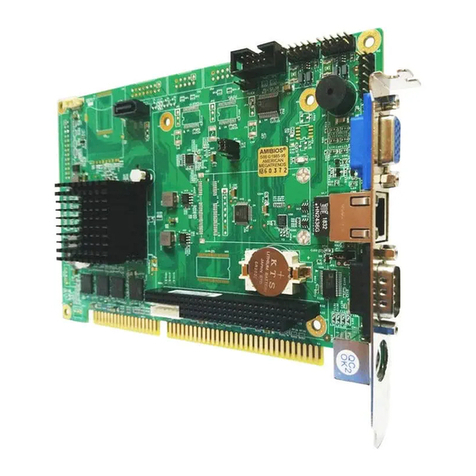
  9. FabiaTech FB2646 Series User instructions

FabiaTech FB2646 Series User instructions

Other FabiaTech Computer Hardware manuals
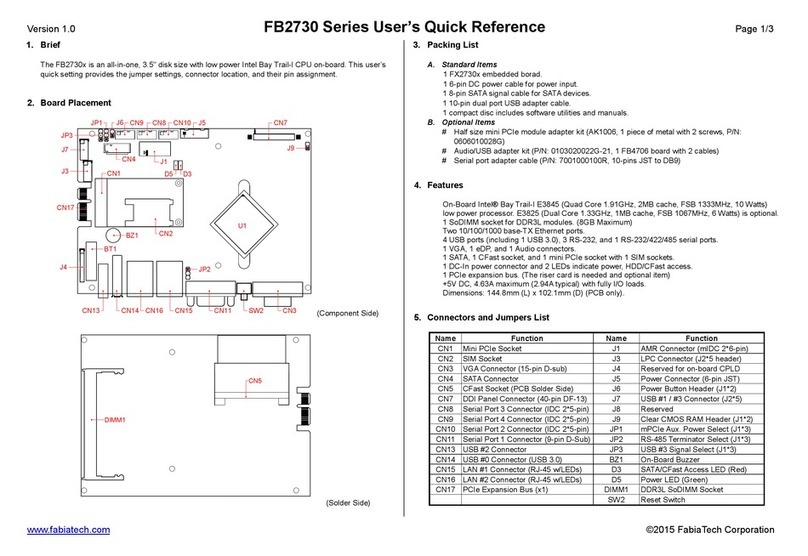
FabiaTech Low Power FB2413 User manual

FabiaTech

FabiaTech Low Power FB2413 User manual

FabiaTech Low Power Series User manual

FabiaTech

FabiaTech Low Power Series User manual

FabiaTech FX5640 Series User manual

FabiaTech

FabiaTech FX5640 Series User manual

FabiaTech FB2300 Series User instructions

FabiaTech

FabiaTech FB2300 Series User instructions

FabiaTech Low Power FB2403 User manual

FabiaTech

FabiaTech Low Power FB2403 User manual

FabiaTech FX5638 Series User manual

FabiaTech

FabiaTech FX5638 Series User manual

FabiaTech FB2642 User manual

FabiaTech

FabiaTech FB2642 User manual

FabiaTech FX5407 Series User manual

FabiaTech

FabiaTech FX5407 Series User manual

FabiaTech FX5206 User manual

FabiaTech

FabiaTech FX5206 User manual

FabiaTech FB2600 User manual

FabiaTech

FabiaTech FB2600 User manual

FabiaTech Low Power FB2503 User manual

FabiaTech

FabiaTech Low Power FB2503 User manual

FabiaTech Low Power FB2652 User manual

FabiaTech

FabiaTech Low Power FB2652 User manual

FabiaTech Fanless Series User manual

FabiaTech

FabiaTech Fanless Series User manual

FabiaTech FB2505 Series User instructions

FabiaTech

FabiaTech FB2505 Series User instructions

FabiaTech FB2701 User manual

FabiaTech

FabiaTech FB2701 User manual

FabiaTech FB2530 Series User instructions

FabiaTech

FabiaTech FB2530 Series User instructions

FabiaTech FB2611 Series User instructions

FabiaTech

FabiaTech FB2611 Series User instructions

FabiaTech Fanless FX5321 User manual

FabiaTech

FabiaTech Fanless FX5321 User manual

FabiaTech Fanless Series User manual

FabiaTech

FabiaTech Fanless Series User manual

FabiaTech FB2510 Series User instructions

FabiaTech

FabiaTech FB2510 Series User instructions

FabiaTech FB2504 User manual

FabiaTech

FabiaTech FB2504 User manual

FabiaTech Low Power Series User manual

FabiaTech

FabiaTech Low Power Series User manual

FabiaTech FB2730 Series User manual

FabiaTech

FabiaTech FB2730 Series User manual
FabiaTech Fanless FX5613 User manual

FabiaTech

FabiaTech Fanless FX5613 User manual

Popular Computer Hardware manuals by other brands

Toshiba TOSVERT VF-MB1/S15 IPE002Z Function manual

Toshiba

Toshiba TOSVERT VF-MB1/S15 IPE002Z Function manual

Shenzhen MEITRACK MVT380 user guide

Shenzhen

Shenzhen MEITRACK MVT380 user guide

TRENDnet TEW-601PC - SUPER G MIMO WRLS PC CARD user guide

TRENDnet

TRENDnet TEW-601PC - SUPER G MIMO WRLS PC CARD user guide

StarTech.com CF2IDE18 instruction manual

StarTech.com

StarTech.com CF2IDE18 instruction manual

Texas Instruments LMH0318 Programmer's guide

Texas Instruments

Texas Instruments LMH0318 Programmer's guide

Gateway 8510946 user guide

Gateway

Gateway 8510946 user guide

Devon IT TC2D Quick setup guide

Devon IT

Devon IT TC2D Quick setup guide

Krüger & Matz Air Shair2 owner's manual

Krüger & Matz

Krüger & Matz Air Shair2 owner's manual

Crystalio VPS-2300 quick guide

Crystalio

Crystalio VPS-2300 quick guide

MYiR FZ3 user manual

MYiR

MYiR FZ3 user manual

Protech Systems BC-K200 Quick reference guide

Protech Systems

Protech Systems BC-K200 Quick reference guide

Miranda DENSITE series DAP-1781 Guide to installation and operation

Miranda

Miranda DENSITE series DAP-1781 Guide to installation and operation

Sierra Wireless Sierra Wireless AirCard 890 quick start guide

Sierra Wireless

Sierra Wireless Sierra Wireless AirCard 890 quick start guide

Leadtek Killer Xeno Pro Quick installation guide

Leadtek

Leadtek Killer Xeno Pro Quick installation guide

Star Cooperation FlexTiny 3 Series Instructions for use

Star Cooperation

Star Cooperation FlexTiny 3 Series Instructions for use

Hotone Ampero user manual

Hotone

Hotone Ampero user manual

Connect Tech Xtreme/104-Express user manual

Connect Tech

Connect Tech Xtreme/104-Express user manual

Yealink WF50 user guide

Yealink

Yealink WF50 user guide

manuals.online logo
manuals.online logoBrands
  • About & Mission
  • Contact us
  • Privacy Policy
  • Terms and Conditions

Copyright 2025 Manuals.Online. All Rights Reserved.

Version 1.0 FB2646 Series User’s Quick Setting Page 1/3
www.fabiatech.com ©2005 FabiaTech Corporation
1. Brief
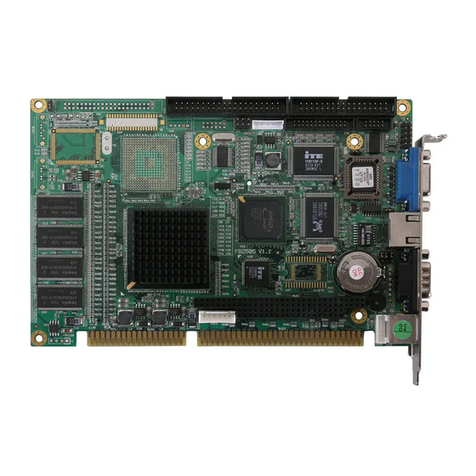
The FB2646 series is a Low power PII or PIII Grade, all in one, half-size CPU card. This user’s quick
setting provides the jumper and switch settings, connector location, and their pin assignment.
2. Board Placement
J7 CN1J10 J4
DB2
DB1
CN2
CN3
J6 CN5 CN6
JP2
CN4
J9LED1
JP1
J1
J3 J8
CN7 CN8
CN9
BT1
BZ1
U1
DIMM1
J5
3. Packing List
1 FB2646(x) all-in-one CPU board.
1 40-pin hard disk drive interface cable.
1 serial port and parallel port interface cable with bracket.
1 Y-type keyboard and mouse port adapter cable.
1 USB and Audio adapter board with cables
1 CPU heat sink with cooling fan. (FB2646 only)
1 compact disc includes software utility.
1 hard copies of this quick setup manual.
4. Features
* On-board low power Intel Pentium-M (FB2646A) or socket for Celeron-M and Pentium-M CPUs
* Compact size slot card with PICMG PCI expansion bus.
* Intel 855GME+ICH4 chipset and 512KB or above L2 cache inside the CPUs.
* Supports 1 SoDIMM socket for up to 1GB DDR-333 RAM.
* 10/100/1000 base-TX (Giga) Ethernet with RJ-45 connector.
* Onboard VGA port (855GME embedded) supports CRT and LVDS interface.
* 1 PCI IDE and 1 CompactFlash socket for 3.3V CompactFlash and MicroDrive.
* 4 USB (V2.0), 1 parallel, 1 RS-232 and 1 RS-232/422/485 ports.
* PS/2 compatible keyboard and mouse interface.
* E2KEY functions for safe CMOS data keeping. (Optional)
* 4-line TTL I/O, On-board buzzer, and LED indicator.
* Hardware monitoring functions and 1 CPU cooling fan connector for monitoring.
* Provides AC97 Audio function and software programmable watchdog timer.
* Flash BIOS with easy upgrade utility.
* Compact size, 185 mm x 122 mm.
5. Connectors and Jumpers List
Name Function Name Function
CN1 40-pin IDE Connector (40-pin IDC) J1 Clear CMOS data Header (J1x2))
CN2 LAN Connector (RJ45 w/LEDs) J2 n. a.
CN3 Keyboard and Mouse Connector J3 ATX Signals Connector (4-pin JST)
CN4 Keyboard and Mouse Connector J4 Integrated Signals Connector (J2x8)
CN5 COM2 Connector (10-pin IDC) J5 CompactFlash Socket (50-pin)
CN6 Parallel Port Connector (26-pin IDC) J6 USB #1 & #2 Connector (J2x5)
CN7 LVDS Connector (30-pin DF13) J7 TTL I/O Connector (5-pin JST)
CN8 LCD Power Connector (5-pin JST) J8 CPU Cooling Fan Connector (3-pin)
CN9 Mini ATX Connector (10-pin) J9 AC97 Audio Connector (12-pin)
J10 USB #3 & #4 Connector (J2x5)
DB1 COM1 Connector (9-pin D-sub)
DB2 CRT Connector (15-pin D-sub) JP1 PS2/ATX Power Select Jumper (J1x2))
JP2 COM2 Mode Select Jumper (J2x3)
DIMM1 SoDIMM Socket (200-pin)
Version 1.0 FB2646 Series User’s Quick Setting Page 2/3
www.fabiatech.com ©2005 FabiaTech Corporation
6. Connectors and Their Relative Jumpers
A. Keyboard and Mouse Connectors (CN3 and CN4)
CN3 is a standard PS/2 type keyboard connector and any PS/2 type keyboard can plug into CN3
directly without extra adapter cable. Use the included keyboard+mouse adapter cable, you can
connect keyboard and mouse simultaneously. CN4 is another way to attach keyboard and mouse
with optional adapter cable.
B. Auxiliary Power Connector (CN9), ATX Power Signal Connector and Jumper (J3 and JP1)
C. Parallel Port Connector (CN6: 26-pin 2.0mm IDC)
The included printer interface cable is used to transfer 26-pin connector into standard parallel port
connector (D-sub 25-pin).
D. Serial Port Connectors & Selector (DB1, CN5, and JP2)
There are 2 connectors and 1 jumper that served for onboard 2 serial ports. The following table and
figure list the combination and pin definition of them:
Functional connector, header, and
jumper of serial ports Serial Port 1 Serial Port 2
RS-232 Signals DB1 CN5
RS-422 Signals - CN5
RS-485 Signals - CN5
Infra Red Signals - J4 (Please refer to 6.M section)
Mode Select - JP2
E. IDE Hard Disk Connector (CN1 - 40-pin 2.54mm IDC)
Use the included 40-pin hard disk cable, you can attach up to two 3.5” hard disk drives.
F. LAN Connector and LED Indicators (CN2)
CN2 is a RJ45 connector with 2 LEDs. The up side LED (orange) indicates data is accessing and
the down side LED (green) indicates on-line status. (When lighted indicates on-line and off indicates
off-line)
G. CRT Connector (DB2)
Pin 1: Mouse Data
Pin 2: Keyboard Data
Pin 3: Ground
Pin 4: VCC
Pin 5: Mouse Clock
Pin 6: Keyboard Clock
1
6
CN4
CN3
Note: This power connector
is ideal for standalone
applications.
PS2 Power Supply
1
2
JP1
JP1: Power Supply Select Jumper
Factor
y
Preset
J3
4
1
Pin 1: Ground
Pin 2: PSON#
Pin 3: N. C.
Pin 4: VCCSB
CN9 Signal CN9 Signal
1 +5V 6 VCCSB
2 +5V 7 +5V
3 Ground 8 Ground
4 Ground 9 PSON#
5 +12V 10 -12V
CN9
1
10
5
6
ATX Power Supply
1
2
JP1
6
9 5
DB1
(
Front View
)
1DB1 Signals CN5 D-sub 9 RS-232 RS-422 RS-485
1 -DCD1 1 1 -DCD2 -
6 -DSR1 2 6 -DSR2 -
2 RXD1 3 2 RXD2 RX- 485-
7 -RTS1 4 7 -RTS2 TX- -
3 TXD1 5 3 TXD2 RX+ 485+
8 -CTS1 6 8 -CTS2 TX+ -
4 -DTR1 7 4 -DTR2 -
9 -RI1 8 9 -RI2 -
5 Ground1 9 5 Ground2
Metal Case Ground 10 Metal Case Ground
5
1
RS-232 RS-485
(Half Duplex) Reserved
Factor
y
Preset
2
65
1
5
1
5
1
2
6
2
6
2
6
RS-422
(Full Duplex)
JP2 JP2 JP2 JP2
18
CN2
(
Front View
)
CN2 10/100 Giga CN2 10/100 Giga
1 TPTX+ MDI0+ 5 FBG1 MDI2-
2 TPTX- MDI0- 6 TPRX- MDI1-
3 TPRX+ MDI1+ 7 FBG2 MDI3+
4 FBG1 MDI2+ 8 FBG2 MDI3-
15
11
6
DB2
(
Front View
)
10 5
1
Pin 1: Red
Pin 2: Green
Pin 3: Blue
Pin 13: Hsync
Pin 14: Vsync
Pin 12: DDC Data
Pin 15: DDC Clock
Pin 5 & 10: Digital Ground
Pin 6,7,8: Analog Ground
Others: Not Used
Version 1.0 FB2646 Series User’s Quick Setting Page 3/3
www.fabiatech.com ©2005 FabiaTech Corporation
H. LCD Connectors (CN7 and CN8)
CN7 supports 36-bit LVDS LCD signals, and CN8 is the power connector for inverter board.
I. USB Connectors (J6 and J10)
J. Audio Connector (J9: 12-pin 2.0mm IDC)
K. TTL I/O Connector (J7: 5-pin 2.0mm JST)
L. Cooling Fan Connector(J8)
J8 is 3-pin Molex connector which is used to drive CPU cooling fan for FB2646.
M. Multi-Function Header (J4)
N. SoDIMM Socket (DIMM1)
DIMM1 (Located on the solder side) supports 200-pin, 2.5V, and DDR-333 DRAM modules with
size of 128MB, 256MB, 512MB, and 1GB.
O. CompactFlash Socket (J5)
The CompactFlash socket J5 (Located on the solder side) supports 3.3V CompactFlash and
MicroDrive. Its default setting is secondary master port.
P. Clear CMOS Data (J1)
End of Document
J1 is used to clear CMOS data by closing its 2-pin for about 3 seconds.
1 2
J1
2
J10 J6 Signal J10 Signal
1 USBV0 1 USBV2
2 Case Ground 2 Case Ground
3 USBD0- 3 USBD2-
4 USBG1 4 USBG3
5 USBD0+ 5 USBD2+
6 USBD1+ 6 USBD3+
7 USBG0 7 USBG2
8 USBD1- 8 USBD3-
9 Case Ground 9 Case Ground
10 USBV1 10 USBV3
Note that only one USB adapter
cable is included (FB4641 w/cable),
the second one adapter cable is
optional.
J6
1
109
J9 Signal J9 Signal
1 AC97_CLK 2 +12V
3 +5V 4 AC97_SYNC
5 Ground 6 Ground
7 N. C. 8 AC97_RST#
9 AC97_SDO 10 AC97_SDI2
11 AC97_SDI0 12 AC97_SDI1
J9 provides AC97 signals for Audio function.
Use the included FB4641 (Audio Adapter
Board) and cable for your Audio applications.
CN8
5
1
Pin 1: +12V
Pin 2: Ground
Pin 3: ENVDD
Pin 4: N.C.
Pin 5: +5V
CN7 Signal CN7 Signal
1 Ground 2 Y0+
3 Y0- 4 Ground
5 Y1+ 6 Y1-
7 Ground 8 Y2+
9 Y2- 10 Ground
11 YCK+ 12 YCK-
13 Ground 14 Z0+
15 Z0- 16 Ground
17 Z1+ 18 Z1-
19 Ground 20 Z2+
21 Z2- 22 Ground
23 ZCK+ 24 ZCK-
25 Ground 26 Ground
27 +3.3V 28 +3.3V
29 +5V 30 +5V
Note: If any trouble when connecting
FB2646 with LCD panels, you could
contact technical support division of
FabiaTech Corporation.
1 5
J7 J7 TTL Lines Bit Location
1 Output Line 0
2 Output Line 1
3 Input Line 0
4 Input Line 1
Please refer to
User’s Manual
for details.
5 Ground -
2
J4 Signal J4 Signal
1 Power LED+ 2 Power LED-
3 HDD LED+ 4 HDD LED-
5 LAN LED+ 6 LAN LED-
7 Temperature Sensor+ 8 Temperature Sensor-
9 IRTX 10 IRRX
11 Ground 12 Ground
13 Reset+ 14 Reset-
15 Soft Start SW+ 16 Soft Start SW-
J4
1
16
15
Pin1: Ground
Pin2: +12V
Pin3: Fan Speed
J8
321