Page 8
Programming Options for Phone(s)
1. To program phone(s) to dial standard emergency numbers:
Programming Steps:
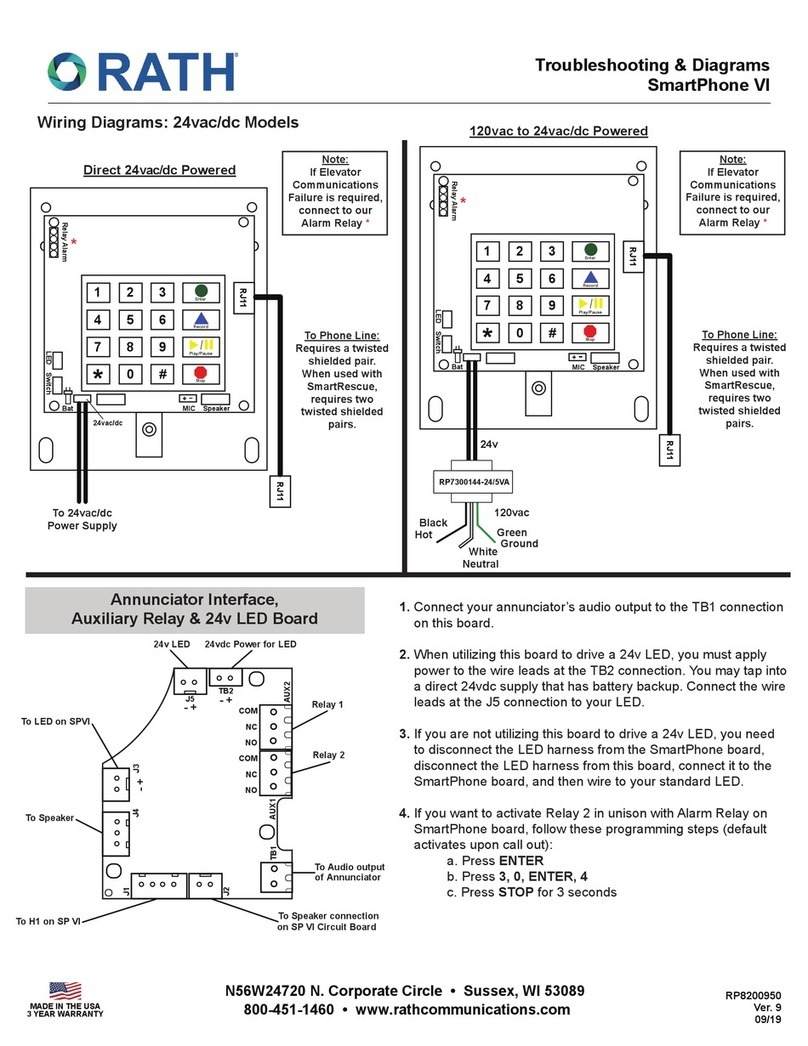
a. Press Enter to get into program mode
b. Press 1, Enter, (Phone Number), Stop
Press 2-5, Enter, (Phone Number), Stop (for each additional phone number)
c. Press and hold Stop for 2-3 seconds until warble sound to exit programming
2. To program phone(s) to call the SmartRescue unit rst and then if no answer to dial
secondary emergency numbers:
Programming Steps:
a. Press Enter to get into program mode
b. Press 1, Enter, (Phone Number 1), Stop
c. Press 2, Enter, (Same number programmed in Step b), Stop
press 3-5, Enter, (Phone Number), Stop (for each additional phone number)
d. Press and hold Stop for 2-3 seconds until warble sound to exit programming
3. To program Location Message:
Programming Steps:
a. Press Enter to get into program mode
b. To turn on message press 1, 3, Enter, 2 or for no message press 1, 3, Enter, 0
c. Press 6, Record, (Wait for beep, speak your message), Stop
(To verify message press 6, Play)
d. To program frequency of message press 1, 3, Enter, __
1=plays message once; 2=plays message twice (this is the standard conguration);
3=plays message until called party presses *on their phone
e. Press and hold Stop for 2-3 seconds until warble sound to exit programming
4. Program Emergency Phone(s) in Consolidator Mode (optional):
Note: Consolidator mode allows you to have up to (10) SmartPhones on a single telephone
line and toggle between them from an outside call.
Programming Steps:
a. Press Enter to get into program mode
b. Press 7, Enter
c. For Phone(s) 1-5; Press *, 1-5
For Example:
For Phone 1, Press 7, Enter, *, 1
For Phone 2, Press 7, Enter, * , 2
d. For Phone(s) 6-10; Press #, 1-5
For Example:
For Phone 6, Press 7, Enter, #, 1
For Phone 7, Press 7, Enter, #, 2
e. Press and hold Stop for 2-3 seconds until warble sound to exit programming
f. Conrm operation by calling the phone number that phone(s) are installed on; all phones will
answer. To speak with individual phones: for phones 1-5 press *1, *2, *3, *4, *5 or
for phones 6-10 press #1, #2, #3, #4, #5. To speak with all phones press *0.