manuals.online logo
Brands
  1. Home
  2. •
  3. Brands
  4. •
  5. Assa Abloy
  6. •
  7. Door Lock
  8. •
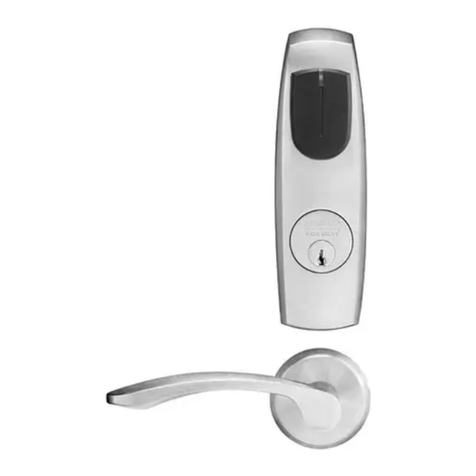
  9. Assa Abloy Sargent 8200 Series User manual

Assa Abloy Sargent 8200 Series User manual

Other manuals for Sargent 8200 Series

3

This manual suits for next models

1

Other Assa Abloy Door Lock manuals

Assa Abloy shine User manual

Assa Abloy

Assa Abloy shine User manual

Assa Abloy Corbin Russwin MP6600 Series User manual

Assa Abloy

Assa Abloy Corbin Russwin MP6600 Series User manual

Assa Abloy Pemko 4131RL User manual

Assa Abloy

Assa Abloy Pemko 4131RL User manual

Assa Abloy Abloy EL648 User manual

Assa Abloy

Assa Abloy Abloy EL648 User manual

Assa Abloy Corbin Russwin SE LP10 CL3360 User manual

Assa Abloy

Assa Abloy Corbin Russwin SE LP10 CL3360 User manual

Assa Abloy SARGENT KP8977 Guide

Assa Abloy

Assa Abloy SARGENT KP8977 Guide

Assa Abloy Valencia Hola User manual

Assa Abloy

Assa Abloy Valencia Hola User manual

Assa Abloy Yale AYRD110 User manual

Assa Abloy

Assa Abloy Yale AYRD110 User manual

Assa Abloy SARGENT IN Series User manual

Assa Abloy

Assa Abloy SARGENT IN Series User manual

Assa Abloy Sargent BHL 8200 Series User manual

Assa Abloy

Assa Abloy Sargent BHL 8200 Series User manual

Assa Abloy EMTEK User manual

Assa Abloy

Assa Abloy EMTEK User manual

Assa Abloy Sargent Passport 1000 PG User manual

Assa Abloy

Assa Abloy Sargent Passport 1000 PG User manual

Assa Abloy Sargent 11 Line User manual

Assa Abloy

Assa Abloy Sargent 11 Line User manual

Assa Abloy Yale Real Living YRD210-ZW Technical specifications

Assa Abloy

Assa Abloy Yale Real Living YRD210-ZW Technical specifications

Assa Abloy Lockwood 8653 User manual

Assa Abloy

Assa Abloy Lockwood 8653 User manual

Assa Abloy eCLIQ User manual

Assa Abloy

Assa Abloy eCLIQ User manual

Assa Abloy Yale Conexis L1 User manual

Assa Abloy

Assa Abloy Yale Conexis L1 User manual

Assa Abloy OneSystem type A Guide

Assa Abloy

Assa Abloy OneSystem type A Guide

Assa Abloy ZI IKON eCLIQ N109 User manual

Assa Abloy

Assa Abloy ZI IKON eCLIQ N109 User manual

Assa Abloy Code Handle Manual

Assa Abloy

Assa Abloy Code Handle Manual

Assa Abloy Yale YDME 50 Pro User manual

Assa Abloy

Assa Abloy Yale YDME 50 Pro User manual

Assa Abloy Sargent PE8500 Series User manual

Assa Abloy

Assa Abloy Sargent PE8500 Series User manual

Assa Abloy ePED 1386-00 User manual

Assa Abloy

Assa Abloy ePED 1386-00 User manual

Assa Abloy Corbin Russwin MP9800 Series User manual
Assa Abloy

Assa Abloy Corbin Russwin MP9800 Series User manual

Popular Door Lock manuals by other brands

Iseo MA1A installation guide

Iseo

Iseo MA1A installation guide

ID Lock 150 user manual

ID Lock

ID Lock 150 user manual

Lockly ACCESS TOUCH PRO user manual

Lockly

Lockly ACCESS TOUCH PRO user manual

iLoq G50S user guide

iLoq

iLoq G50S user guide

SDC Z7835 installation instructions

SDC

SDC Z7835 installation instructions

ilco 452 Installation

ilco

ilco 452 Installation

Samsung shs-h705 user guide

Samsung

Samsung shs-h705 user guide

TRU-BOLT 08102017 user manual

TRU-BOLT

TRU-BOLT 08102017 user manual

CDVI 500-LADJ quick start guide

CDVI

CDVI 500-LADJ quick start guide

Igloohome Deadbolt 2S Metal Grey Installer/user guide

Igloohome

Igloohome Deadbolt 2S Metal Grey Installer/user guide

eSSL FL-300 user manual

eSSL

eSSL FL-300 user manual

Dorma MUNDUS PREMIUM GK 50 Mounting instruction

Dorma

Dorma MUNDUS PREMIUM GK 50 Mounting instruction

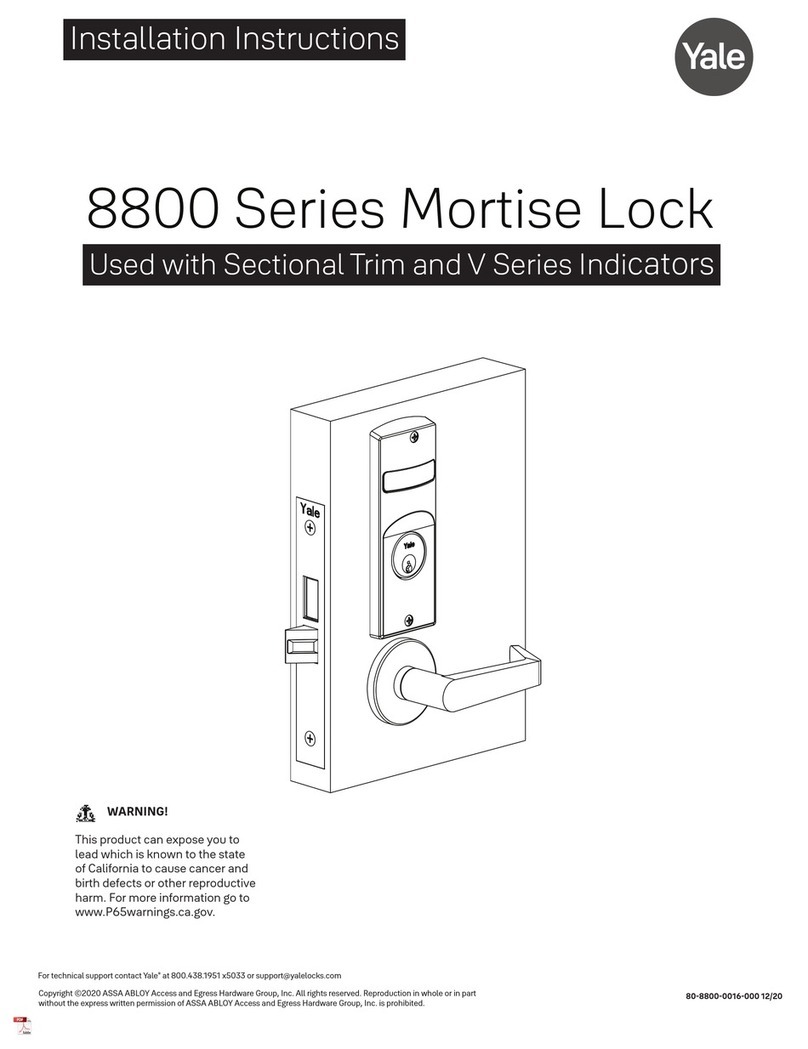
SCOOP Pullbloc 4.1 FS Panik Assembly instruction
SCOOP

SCOOP Pullbloc 4.1 FS Panik Assembly instruction

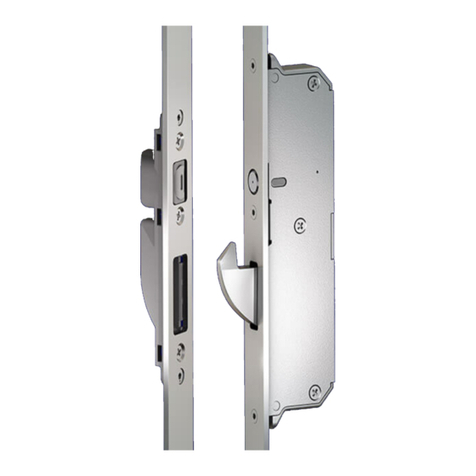
Yale MORTISE 8800 SERIES installation instructions
Yale

Yale MORTISE 8800 SERIES installation instructions

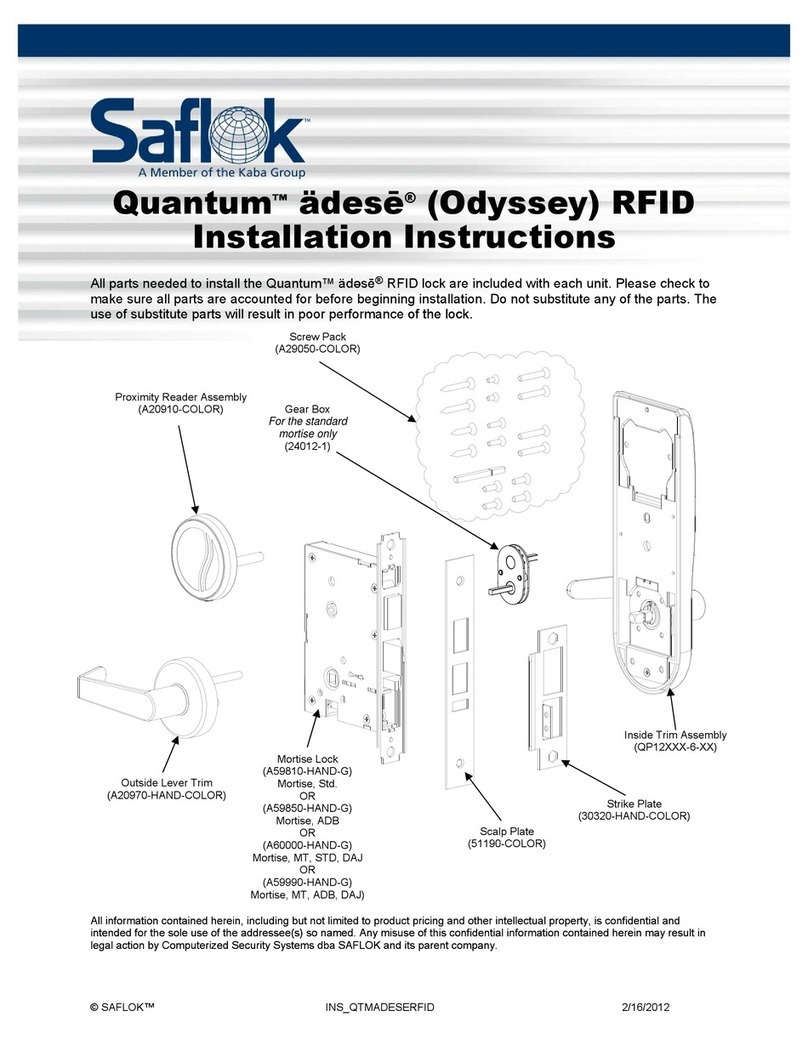
Siegenia KFV AS3500 Assembly instructions
Siegenia

Siegenia KFV AS3500 Assembly instructions

Saflok Quantum ädesē RFID installation instructions

Saflok

Saflok Quantum ädesē RFID installation instructions

ArrowVision Shepherd 210 installation manual
ArrowVision

ArrowVision Shepherd 210 installation manual

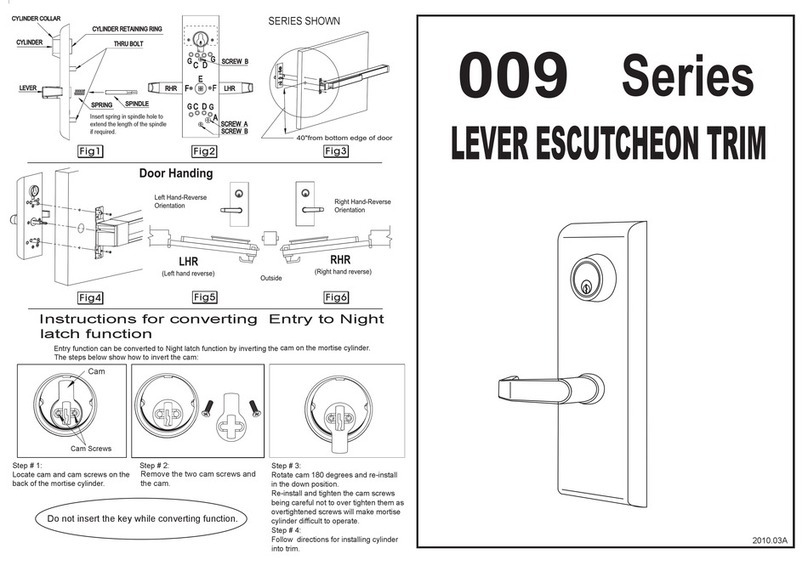
Baldwin 009 Series quick start guide

Baldwin

Baldwin 009 Series quick start guide

manuals.online logo
manuals.online logoBrands
  • About & Mission
  • Contact us
  • Privacy Policy
  • Terms and Conditions

Copyright 2025 Manuals.Online. All Rights Reserved.

1-800-727-5477 • www.sargentlock.com
A7896F 9/22
Installation Instructions
WARNING
This product can expose you to lead
which is known to the state of California
to cause cancer and birth defects or other
reproductive harm. For more information go
to www.P65warnings.ca.gov.
7900 & 8200 Series Mortise Locks
with Studio Collection Levers
Copyright © 2007-2010, 2022, SARGENT Manufacturing Company. All rights reserved. Reproduction in whole or in part
without the express written permission ofSARGENT Manufacturing Company is prohibited.
1Tools Required
2Package Contents
All trim components will vary by function number. For one sided trim, see reference document A7028.
Screw Pack with screws for lockbody, fronts and strike screws (Part # 77-4236)
Trim both side pack includes inside adapter plate assembly, spindle, through-bolt screws and set screw
• Rose Trim - #79-2161
• Escutcheon Trim - #82-4600
Trim one side pack includes inside adapter plate assembly, spindle, through-bolt screws, set screw and trim
one side plate.
• Rose Trim - #79-2162
• Escutcheon Trim #82-4599
Fig. Part # Description Qty
1 — Inside lever (designs vary- some
handed) 1
2 82-1623 Lever set screw 1/4-28 (wide flat head) 1
3 82-0347 Lever spring 2
4696 x
Design Rose (designs vary) 2
5 01-1495 Machine screw #8-32 x 5/8" 2
6 Varies Inside adapter & plate assembly 1
7 82-1626 Inside Studio spindle 2
8 82-0691 Bushing 1
9 Varies Outside rose mounting plate 1
10 81-0723 Through-bolt posts 2
11 — Outside lever (designs vary-some
handed) 1
12 — Lockbody (various functions) 1
13 01-1019
01-2299
Machine screw #12 - 24 x 1/2"and
Wood screw #12 x 1-1/4"
2
2
14 Varies x
Function Outside front plate 1
15 01-1028 Front screw #8 - 32 x 1/4" 2
16 130KB Thumbturn assembly (Varies x Design) —
17 1KB-1 Cylinder collar/rosette (size varies) 1
18 — Cylinder (various key systems) —
19 — Emergency release assembly
Varies x Design 184 x Design
• #2 and #3 Phillips screwdriver • Flat blade screwdriver • T20 Torx wrench • 1/8"Allen wrench
Inside of Door
Inside Spindle
Inside Adapter and
Plate Assembly
Set Screw Hole
8-32 X 5/8”
Screws
Spindle Slot
7900 & 8200 Series Mortise Locks
Installation Instructions
2
A7896F 9/22
1-800-727-5477 • www.sargentlock.com
with Studio Collection Levers
Copyright © 2007-2010, 2022, SARGENT Manufacturing Company. All rights reserved. Reproduction in whole or in part
without the express written permission ofSARGENT Manufacturing Company is prohibited.
3Door Preparation
4Sectional Trim
1. Important: Check template A7057 to prep door for function
holes, size & location. Verify strike location according to
template. Clean out door pocket and door edge of any debris.
2. Make sure the handing of the lock (latch & locking piece)
match the handing of the door. Slide lock into the door and
hold.
3. Slide outside lever & rose assembly (or lever & escutcheon
assembly) through the door; lock body and hold.
Note: Keep door open while installing lock.
Note: If installing lever onto only one side of the door, see
separate instruction sheet A7028.
• Assemble keyed cylinder first through narrow end of spring, and then
through the wider opening of the collar (or escutcheon). Assemble onto
door by threading into the lock until cylinder face is flush with collar edge.
Pulling the key slightly out of cylinder will help to thread the cylinder in.
For square collars, align pin to ensure collar is positioned correctly.
See #4.
Note: SARGENT logo must be horizontal & on the top portion of the
cylinder.
• Tighten cylinder clamp screw (#2 Phillips screwdriver). See #5.
• Secure lock in door with two wood screws (12 X 1-1/4"or machine screws
12-24 X 1/2"). Do NOT tighten completely at this time. See #6.
• Align posts in rose with holes in adapter & plate assembly, and press on
until rose is tight against door face. See #9.
• Attach inside lever and secure with 1/8"Allen wrench. See #10.
• Assemble thumbturn/emergency release (if provided) according to
instructions on bag.
• Check for proper lock operation by function prior to closing door.
• First tighten two lockbody screws completely, then attach outside front
with two flat head screws 8-32 X 1/4". See #11.
Note: Removable Core or Interchangeable Core cylinders require a control
key (key stamped with “C”) to remove and install the inner cylinder core.
This is not provided standard; must be requested separately. If requesting
1-Bitted control key, specify 113511 cut.
See Section 6 for installing sectional trim with square roses.
2
1
3
Inside of
door
Outside
of door
RH Door Shown
Inside of
door
Outside of
door
87
5
6
4
9
10
11
• Insert inside spindle into square hole of mortise lock, with spindle slot
directed away from the mortise body and aligned with the set screw hole
in the inside adapter. See #7a.
• Slide inside adapter and plate assembly over spindle, and secure with (2)
8-32 X 5/8" Phillips machine screws. See #8.
7a
3
A7896F 9/22
1-800-727-5477 • www.sargentlock.com
Copyright © 2007-2010, 2022, SARGENT Manufacturing Company. All rights reserved. Reproduction in whole or in part
without the express written permission ofSARGENT Manufacturing Company is prohibited.
7900 & 8200 Series Mortise Locks
Installation Instructions
with Studio Collection Levers
5CE, LE1 and TE Escutcheon Trim
• Install outside escutcheon. See #1.
• Slide inside spindle into lockbody hub. See #2.
• Slide inside adapter plate over spindle and secure
using two 8-32 X 5/8" screws. See #3.
• Install inside escutcheon using two 8-32 X1-7/8"
screws. See #4.
• Install inside lever using lever set screw. See #5.
Through-bolt the inside escutcheon to the outside
escutcheon with two screws 8-32 X 1-7/8".
Note: Screw heads should be visible on inside escutcheon.
Note: Removable Core or Interchangeable Core cylinders - require a control key (key stamped with “C”) to remove and install
the inner cylinder core. This is not provided standard; must be requested separately. If requesting 1-Bitted control key, specify
113511 cut.
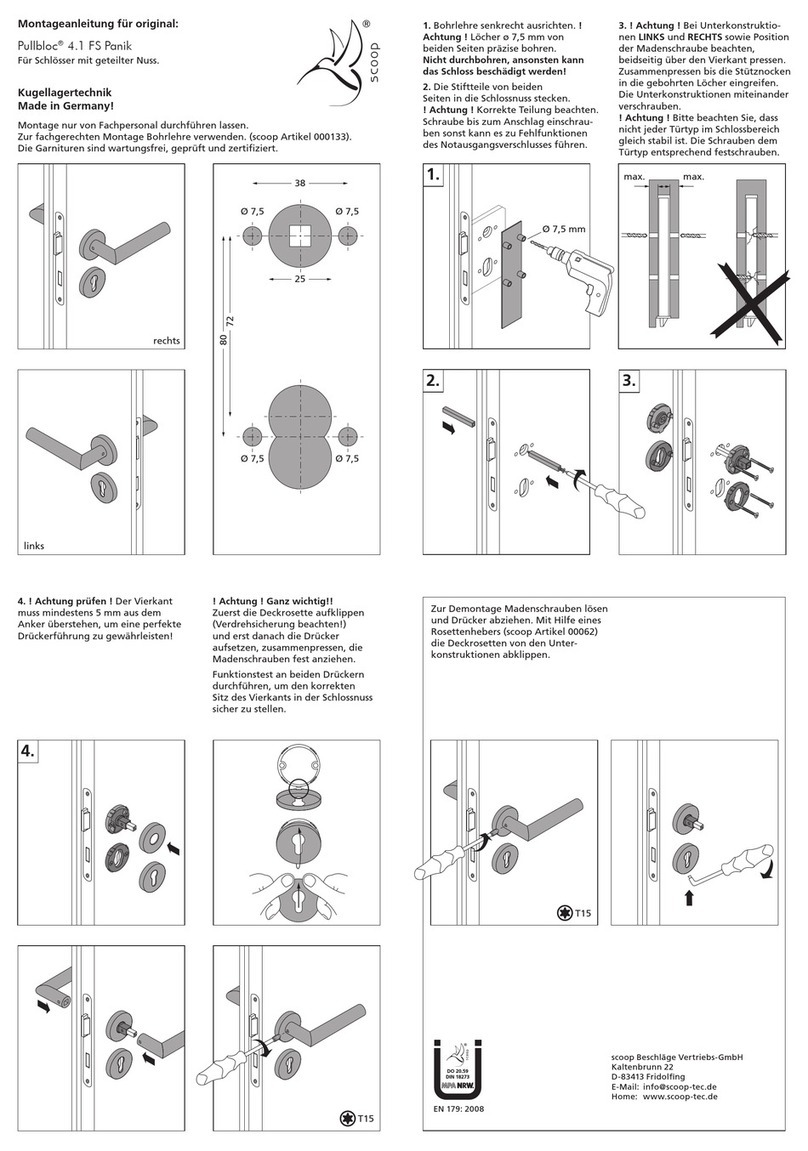
6Installing E2, E3 and E4 Square Roses
The roses and their mounting plates need to be
oriented correctly during installation. Failure to do
so causes roses that are crooked on the door. The
proper orientation for the plastic rose-mounting
inserts points toward the hinge side of the door. The
rose is oriented with the slot facing the hinge side of
the door.
7Multi-Function Lockbody
8200 Mortise Lock ONLY Multi-function Lockbody Options 04, 05, 06, 13, 31, 36,
37, 38
How to Change Function of Lock:
Green catch screw must be located as designated on lock case to create desired
function.
• When moving green catch screw to 04, 06, 13 & 31 functions, hub position must
be at 45° as shown on lockcase. See How to Change Hand of Lock, page 4.
• When moving green catch screw on 15 function, slot in hub must be in vertical
orientation.
Inside of
door
Outside of
door
Note: Cylinder collar(s) are required
for functions with two cylinders or
cylinders longer than #41 (1-1/8")
1
2
3
4
5
Slot in trim must face towards
hinge side of door.
Plastic inserts must face
toward hinge side of
door.
A7896F 9/22
SARGENT Manufacturing Company
100 Sargent Drive
New Haven, CT 06511 USA
800-727-5477
www.sargentlock.com
1-800-727-5477 • www.sargentlock.com
Copyright © 2007-2010, 2022, SARGENT Manufacturing Company. All rights reserved. Reproduction in whole or in part
without the express written permission ofSARGENT Manufacturing Company is prohibited.
7Multi-Function Lockbody, continued
*** 130 KB thumb turn (designs vary) is used with rose trim only, escutcheon
trims requiring thumb turns, must be preassembled at the factory
#41 Cylinder is standard for both single & double cylinder functions for 1-3/4"
thick door
NOTE: Trim one-side functions always require an inside trim assembly which
can be used on the inside or outside of the door
Items needed to create each of the following functions:
Function Outside
Lever
Inside
Lever
Trim One
Side Kit
Outside
Cylinder
Inside
Cylinder
Thumb
Turn
04 X X X
05 X X X X***
06 X X X
13 X X
15 X X
31 X X X
36 X X X
37 X X X
38 X X X X
Type of Rose/Escutcheon Kit Part Number
Trim one side kit CO, CR, LN, O, TO & TR 82-3208
Trim one side kit CE, LE1 & TE Escutcheon 82-3209
88200 Only - How To Change Hand of Lock
(7900 - see instruction label on lockbody)
Note: Red surface of locking piece must face secure (keyed/locked) side of door.
To rotate locking piece:
1. Position lockbody with red surface of locking piece visible
2. Insert blade type screwdriver into locking piece slot to rotate locking piece
3. Push locking piece toward back of lock body and rotate 180° until RED
surface shows on opposite side
IMPORTANT: 04, 06, 13 and 31 Functions require:
• Green catch screw to be removed
• Rotate hub 45 degrees to vertical position
• Rotate locking piece for required hand
• Red surface faces locked side of door
• Rotate hub to the original 45 degree position as shown on lockcase
• Green catch screw is then reinstalled
Note: Beveled surface of latch must face strike. The deadlatch is self adjusting.
To change hand of latch (See step 1 in the figure to the right).
4. Rotate screwdriver 90º to push latch out until back of latch clears lock front.
5. Then rotate latch 180º. Latch will then re-enter lockbody.
Note: Latch can not be unscrewed.
DOOR HANDING
INSIDE
LEFT HAND RIGHT HAND
OUTSIDE
INSIDE
LEFT HAND RIGHT HAND
REVERSE REVERSE
BEVEL BEVEL
OUTSIDE
DOOR HANDS DETERMINED FROM OUTSIDE
Locking piece slot Red color indicates locked
side of door or hold black side
(91 and 92 Functions)
1. Insert flat blade screwdriver
into the spade shaped slot.
Lock front
Latch