Mitel 5201 User manual

USER GUIDE


Contents
ABOUT YOUR PHONE .................................................................................................. 1
TIPS FOR YOUR COMFORT AND SAFETY ................................................................. 2
Don't cradle the handset! ......................................................................... 2
Protect your hearing ................................................................................ 2
CUSTOMIZING YOUR SET............................................................................................ 3
Ringer Control ........................................................................................ 3
Handset Receiver Volume Control.............................................................. 3
MAKING AND ANSWERING CALLS............................................................................. 3
Make a Call ............................................................................................ 3
Answer a Call.......................................................................................... 3
Redial .................................................................................................... 3
CALL HANDLING........................................................................................................... 4
Hold ...................................................................................................... 4
Hold and Page ........................................................................................ 4
Transfer ................................................................................................. 4
Conference............................................................................................. 5
Broker's Call ........................................................................................... 5
Call Forward ........................................................................................... 6
Call Forward - I'm Here............................................................................ 7
Messaging - Callback ............................................................................... 7
USING ADVANCED FEATURES ................................................................................... 8
Account Codes ........................................................................................ 8
Callback ................................................................................................. 8
Call Park ................................................................................................ 9
Call Pickup ............................................................................................. 9
Call Park - Destination Phone.................................................................. 10
Campon ............................................................................................... 10
Do Not Disturb...................................................................................... 10
Override............................................................................................... 10
Paging - PA .......................................................................................... 11
Paging - Direct...................................................................................... 11
Paging - All Set ..................................................................................... 11
Paging - Group ..................................................................................... 11
Reminder ............................................................................................. 12
Reminder - Multiple ............................................................................... 13
Speed Call - Personal............................................................................. 14
Phonebook ........................................................................................... 14
Call Monitoring...................................................................................... 15
Door Opener......................................................................................... 16

-1-
ABOUT YOUR PHONE
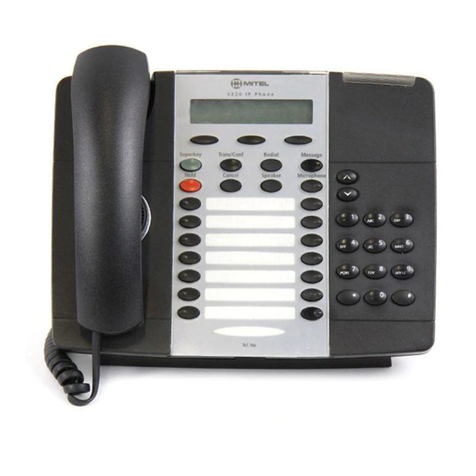
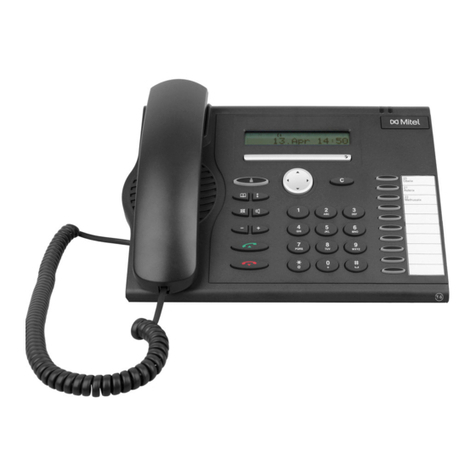
The 5201 IP Phone has five fixed-function keys ( HOLD, MESSAGE,
TRANS/CONF, , ) and a Message indicator.
1. Handset
2. Speaker
3. Volume Control
4. Message Waiting Indicator
5. Designation Card
6. Function Keys
7. Keypad
Telephone status indicators
Line Status Indicator Meaning
Idle Off
Busy On
Ringing Flashing slowly
On hold at your phone Flashing rapidly
On hold at another phone Flashing slow on/fast off

-2-
Designation Card
Use the designation card to write frequently called numbers of feature
access codes.
Note: Your designation card should show "Trans/Conf" at the bottom right
of the card. If it does not, get the correct designation card from your
administrator.
To remove the designation card cover
zPress the tab at the top of the cover downwards, and lift the cover.
To replace the designation card cover
zInsert the the cover in the slots ri
g
ht above the function keys, then press
the tab at the top of the cover into place.
About Feature Access Codes
Use of some features requires dialing access codes. The codes are flexible
and may be different than those in this guide. Ask your Administrator for a
list of codes you should use.
TIPS FOR YOUR COMFORT AND SAFETY
Don't cradle the handset!
Prolon
g
ed use of the handset can lead to neck, shoulder, or back discomfort,
especially if you cradle the handset between your ear and shoulder. If you
use your phone a lot, you may find it more comfortable to use a headset.
See the section on headset usage elsewhere in this guide for more
information.

-3-
Protect your hearing
Your phone has a control for ad
j
ustin
g
the volume of the handset receiver or
headset. Because continuous exposure to loud sounds can contribute to
hearing loss, keep the volume at a moderate level.
CUSTOMIZING YOUR PHONE
Ringer Control
To adjust the Ringer Volume while the phone is ringing:
zPress or .
To adjust the ringer pitch:
1. Lift the handset.
2. Dial 27.
3. Dial 33.
4. Press or .
5. Hang up.
Handset Receiver Volume Control
To adjust the Handset Receiver Volume when you are using the
handset:
zPress or .
MAKING AND ANSWERING CALLS
Make a Call
1. Lift the handset.
2. Dial the number.

-4-
Answer a Call
zLift the handset.
Redial
To redial the last number that you manually dialed:
1. Lift the handset.
2. Dial *30.
CALL HANDLING
Hold
To place a call on Hold:
zPress HOLD.
To retrieve a call from Hold:
zPress HOLD.
To retrieve a call that has been placed on Hold at another extension:
1. Lift the handset.
2. Dial *23.
3. Dial the number of the extension that placed the call on Hold.

-5-
Hold and Page
The Hold and Page feature allows you to put a call on hold and page without
having to use a feature key or code.
To place a call on hold and page:
1. Press the red HOLD key twice.
2. Make the page.
To place a call on hold and not page:
1. Press the red HOLD key.
2. Press any key except for the red HOLD key. The call is on hold.
Transfer
To Transfer an active call:
1. Press TRANS/CONF.
2. Dial the number of the third party.
3. Do one of the following:
To complete the Transfer, hang up.
To announce the Transfer, wait for an answer, consult, and hang up.
To cancel the Transfer, press TRANS/CONF.
Conference
To form a Conference when a two-party call is already in place, or to
add another party to an existing Conference:
1. Press TRANS/CONF.
2. Dial the number of the next party.
3. Wait for an answer.
4. Press TRANS/CONF.
To leave a Conference:
zHang up.

-6-
Swap
To call another party when you are in an established two-party call:
1. Press TRANS/CONF.
2. Dial the number.
To alternate between the two parties:
zPress TRANS/CONF.
Call Forward
To program and activate Call Forward:
1. Lift the handset.
2. Do one of the following:
To redirect internal calls, dial *04.
To redirect external calls, dial *05.
To redirect both internal and external calls, dial *03.
3. Do one of the following:
To redirect all calls, press 1.
To redirect calls when your telephone is busy, press 2.
To redirect calls when you don't answer, press 3.
To redirect calls when your telephone is busy or when you don't
answer, press 4.
4. Dial the destination number.
5. Hang up.
To cancel Call Forward:
1. Lift the handset.
2. Do one of the following:
To cancel the redirect of internal calls, dial *04.
To cancel the redirect of external calls, dial *05.
To cancel the redirect of both internal and external calls, dial *03.
3. Hang up.

-7-
Call Forward - I'm Here
To forward calls from a remote extension to your current location:
1. Lift the handset.
2. Dial *06.
3. Dial the number of the remote extension.
4. Hang up.
To cancel Call Forward - I'm Here from the extension that set the
remote forwarding:
1. Lift the handset.
2. Dial *07.
3. Dial the extension of the remote extension.
4. Hang up.
To cancel Call Forward - I'm Here from the extension that was
forwarding:
1. Lift the handset.
2. Dial *03.
3. Hang up.
Messaging - Callback
To leave a Callback Message on a telephone when you hear busy or
ringback tone:
zPress MESSAGE.
To respond to a Message Waiting condition on your telephone:
1. Lift the handset.
2. Press MESSAGE.
A call is placed to the messa
g
e sender (voice mail system or extension user)
that left the oldest message.
If the extension is busy or the user does not answer, you can send the user
a Callback message by pressing the MESSAGE key again. This cancels the
Callback message on your extension.
Other manuals for 5201
9
Table of contents
Other Mitel IP Phone manuals

Mitel
Mitel 6800 Series How to use

Mitel
Mitel 5302 User manual
Mitel
Mitel 5560 User manual
Mitel
Mitel IP 5330 Instruction Manual
Mitel
Mitel 5220 User manual
Mitel
Mitel 6863i User manual
Mitel
Mitel Aastra 6730i User manual
Mitel
Mitel Deskphone 6867 User manual
Mitel
Mitel 5320 User manual
Mitel
Mitel 200 User manual
Mitel
Mitel Mitel 5330 User manual
Mitel
Mitel 5220 User manual

Mitel
Mitel 5000 CP Phone User manual
Mitel
Mitel IP PHONE 5201 User manual

Mitel
Mitel MiVoice Connect IP420 User manual
Mitel
Mitel MiVoice 5361 User manual

Mitel
Mitel 6800i Series Service manual

Mitel
Mitel 6869i User manual
Mitel
Mitel MiVoice Office 5320e User manual
Mitel
Mitel 5320 User manual