manuals.online logo
Brands
  1. Home
  2. •
  3. Brands
  4. •
  5. Panasonic
  6. •
  7. Conference System
  8. •
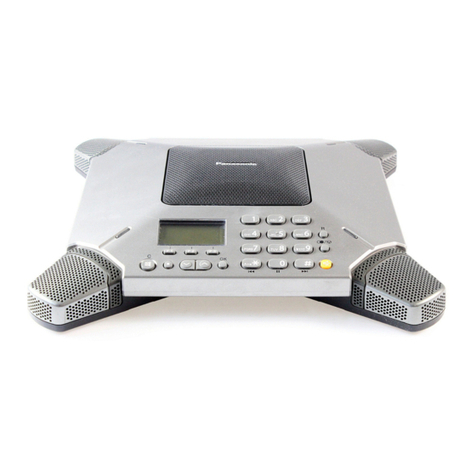
  9. Panasonic VoiceSonic KX-NT700 User manual

Panasonic VoiceSonic KX-NT700 User manual

Other manuals for VoiceSonic KX-NT700

9

Other Panasonic Conference System manuals

Panasonic KX-VC2000 Assembly instructions

Panasonic

Panasonic KX-VC2000 Assembly instructions

Panasonic EtherCAT SC-GU3-03 User manual

Panasonic

Panasonic EtherCAT SC-GU3-03 User manual

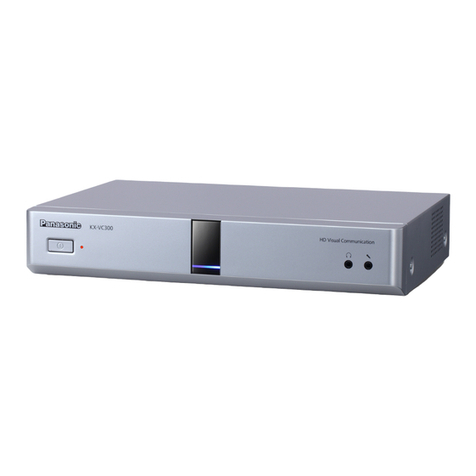
Panasonic KX-VC300 User manual

Panasonic

Panasonic KX-VC300 User manual

Panasonic SC-HG1-C User manual

Panasonic

Panasonic SC-HG1-C User manual

Panasonic KX-HTS Series User manual

Panasonic

Panasonic KX-HTS Series User manual

Panasonic WX-CT2020 User manual

Panasonic

Panasonic WX-CT2020 User manual

Panasonic KX-VC1600SX User manual

Panasonic

Panasonic KX-VC1600SX User manual

Panasonic KX-VC1600 Assembly instructions

Panasonic

Panasonic KX-VC1600 Assembly instructions

Panasonic KX-VC1300 User manual

Panasonic

Panasonic KX-VC1300 User manual

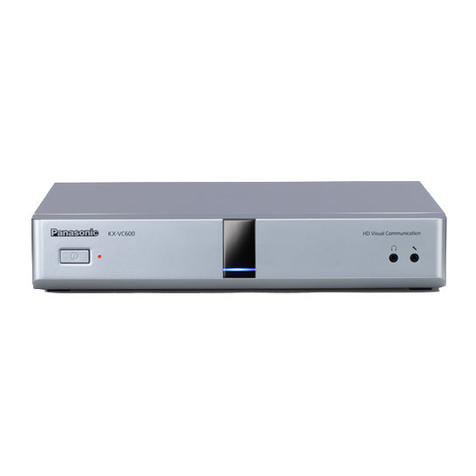
Panasonic KX-VC600 User manual

Panasonic

Panasonic KX-VC600 User manual

Panasonic KXCM7800 - VIDEO TELECONFERENCI User manual

Panasonic

Panasonic KXCM7800 - VIDEO TELECONFERENCI User manual

Panasonic KX-VC500CN User manual

Panasonic

Panasonic KX-VC500CN User manual

Panasonic KX-HTS Series User manual

Panasonic

Panasonic KX-HTS Series User manual

Panasonic SL-VVMES2 User manual

Panasonic

Panasonic SL-VVMES2 User manual

Panasonic KX-VC300 User manual

Panasonic

Panasonic KX-VC300 User manual

Panasonic KX-TVP50 User manual

Panasonic

Panasonic KX-TVP50 User manual

Panasonic SC-HG1-ETC User manual

Panasonic

Panasonic SC-HG1-ETC User manual

Panasonic KX-HTS Series User manual

Panasonic

Panasonic KX-HTS Series User manual

Panasonic WX-CT420 User manual

Panasonic

Panasonic WX-CT420 User manual

Panasonic SC-GU3-02 User manual

Panasonic

Panasonic SC-GU3-02 User manual

Panasonic KX-VC300 Instruction Manual

Panasonic

Panasonic KX-VC300 Instruction Manual

Panasonic WGAV120 - VIDEO TRANSMISSION User manual

Panasonic

Panasonic WGAV120 - VIDEO TRANSMISSION User manual

Panasonic SC-HG1-ETC User manual

Panasonic

Panasonic SC-HG1-ETC User manual

Panasonic WX-C1011 Series User manual

Panasonic

Panasonic WX-C1011 Series User manual

Popular Conference System manuals by other brands

Jabbla Tellus 6 operating instructions

Jabbla

Jabbla Tellus 6 operating instructions

LY International Electronics H-9500 Series Installation and operating manual

LY International Electronics

LY International Electronics H-9500 Series Installation and operating manual

RADVision Scopia XT1000 user guide

RADVision

RADVision Scopia XT1000 user guide

AT&T MERLIN LEGEND Reference

AT&T

AT&T MERLIN LEGEND Reference

Polycom RealPresence Group Series setup sheet

Polycom

Polycom RealPresence Group Series setup sheet

ProSoft Technology AN-X4-AB-DHRIO user manual

ProSoft Technology

ProSoft Technology AN-X4-AB-DHRIO user manual

Sony PCS-I150 Operation guide

Sony

Sony PCS-I150 Operation guide

Middle Atlantic Products VTC Series instruction sheet

Middle Atlantic Products

Middle Atlantic Products VTC Series instruction sheet

AVT MAGIC AC1 Go Configuration guide

AVT

AVT MAGIC AC1 Go Configuration guide

Prentke Romich Company Vanguard Plus Setting up and using

Prentke Romich Company

Prentke Romich Company Vanguard Plus Setting up and using

Speakerbus iD 712 user guide

Speakerbus

Speakerbus iD 712 user guide

Trelleborg SafePilot CAT PRO user guide

Trelleborg

Trelleborg SafePilot CAT PRO user guide

Sennheiser ADN instruction manual

Sennheiser

Sennheiser ADN instruction manual

ADTRAN NetVanta 7100 Configuration guide

ADTRAN

ADTRAN NetVanta 7100 Configuration guide

AINA PTT Voice Responder quick guide

AINA

AINA PTT Voice Responder quick guide

Yamaha ProjectPhone PJP-100H owner's manual

Yamaha

Yamaha ProjectPhone PJP-100H owner's manual

vissonic VLI Series user manual

vissonic

vissonic VLI Series user manual

Poly Trio 8300 user guide

Poly

Poly Trio 8300 user guide

manuals.online logo
manuals.online logoBrands
  • About & Mission
  • Contact us
  • Privacy Policy
  • Terms and Conditions

Copyright 2025 Manuals.Online. All Rights Reserved.

Document Version 2008/10
Operating Instructions
IP Conferencing Phone
Model No. KX-NT700
Thank you for purchasing this Panasonic product.
Please read this document carefully before using this product and save for future use.
KX-NT700: Version 1.1 or later
Introduction
Connection to a Panasonic Pure IP-PBX (IP-PBX
Mode)
The unit can be connected to a Panasonic KX-TDE or KX-NCP series PBX and used as a SIP extension. This
allows you to make and receive calls using the outside lines and IP network connected to the PBX, call other
extensions of the PBX by dialing their extension numbers, participate in conference calls with 4 or more other
participants, etc.
KX-NT700
PC
IP-PT
IP Softphone
SIP Extension
APTDPT SLT CS PS
Outside Telephone
Lines
IP Network Other party
of IP call
Other party
of TEL call
The following features are available when the unit is used as a SIP extension. Refer to the PBX documentation
for details.
– Account Code Entry – Personal Speed Dialing
– Automatic Route Selection (ARS) – Redial
– Conference (as a member only) – S-CO Line Access
– DND Override – System Speed Dialing
– Doorphone Call – TIE Line Call
– Extension Block – Trunk Group Access
– Operator Call
2 Operating Instructions Document Version 2008/10
Introduction
Standard Connection Methods
Allow you to make and receive peer to peer IP calls, TEL calls, and PS or PC calls.
TEL Network or PBX
IP Network (Intranet)
LAN cable Other party of IP call
Other party of TEL call
Telephone cord
PS Cable or PC Cable OR
Other party of call made
with portable station Other party of call made
with computer
Connection to an IP Network (Intranet) and/or Panasonic Pure IP-PBX
Allows you to make and receive calls over an IP network.
In this document, this connection method is referred to as the "IP line", and calls made using the IP line are
referred to as "IP calls". There are 2 modes for making and receiving IP calls. When using IP-PBX mode (see
page 2), the unit can make and receive IP calls as a SIP extension of a Panasonic KX-TDE or KX-NCP series
PBX. When using peer to peer mode, the unit communicates directly with the other party's device.
Connection to an Analog Telephone Network or PBX
Allows you to make and receive traditional phone calls.
In this document, this connection method is referred to as the "TEL line", and calls made using the TEL line
are referred to as "TEL calls".
Connection to a Compatible Panasonic Portable Station
By connecting the unit to a compatible Panasonic Portable Station (PS) using the included PS Cable, you can
use the microphones and speaker of the unit for calls made or received with the PS.
In this document, this connection method is referred to as the "PS line", and calls made using the PS line are
referred to as "PS calls".
Connection to a Computer
By connecting the unit to a computer using the included PC Cable, you can use the microphones and speaker
of the unit for calls made or received with the computer using your preferred IP phone software.
In this document, this connection method is referred to as the "PC line", and calls made using the PC line are
referred to as "PC calls".
Document Version 2008/10 Operating Instructions 3
Introduction
Other Features
Conference Calls
While on a call, you can make or receive an additional call, creating a 3-party conference call (see
page 33 or page 34). Conference calls can be made using the following connection methods.
2 IP calls (Peer to peer mode only)
While A and B are talking, A calls or is called by C.
A
B
C
1 IP call and 1 TEL call
While A and B are talking, A calls or is called by C.
C
A
B
1 IP call and 1 PS call or 1 PC call
While A and B are talking, A uses a PS or computer to
call C.
OR
CC
A
B
High-quality Audio
The unit provides unparalleled audio quality and features, including:
–G.722 speech codec support (Peer to peer mode only)
–full-duplex communication
–speech speed conversion (see page 35)
–mic noise reduction (see page 35)
–External Wired MIC connection (see page 28)
4 Operating Instructions Document Version 2008/10
Introduction
SD Memory Card Recording
Phone calls and voice memos can be recorded to, and played back from, a compatible SD memory card (see
page 39).
PoE (Power over Ethernet) Ready
The unit is compliant with PoE (IEEE 802.3af) standards, and contains a power receiving device that enables
it to receive power from the same Ethernet cable used for IP network connection. This allows you to use the
unit in locations where there is no AC outlet nearby, saving you the cost of installing a new AC outlet. PoE
connection requires a PoE-compliant hub or similar device. The included AC adaptor can be used instead of
a PoE connection if you want to connect the unit to a standard AC outlet.
Conferencing Phone Manager Software Features
The unit can be used in conjunction with Conferencing Phone Manager. This software can be found on the
included CD-ROM, and allows you to operate and program the unit using a computer (see page 57).
Document Version 2008/10 Operating Instructions 5
Introduction
Other Information
Included Documentation
Quick Reference Guide
Briefly describes how to connect the unit and introduces commonly used features.
Operating Instructions (this document)
Describes how to connect, use, program, and maintain the unit.
Note
•Certain products and features described in this document may not be available in your area. Consult
a certified Panasonic dealer for more information.
PBX Connection
•If the unit is connected to a PBX, refer to the PBX documentation for information about making calls,
receiving calls, and other features.
•Do not connect the unit to an analog telephone line to which other telephones are connected.
Computer Screen Shots
•Microsoft product screen shot(s) reprinted with permission from Microsoft Corporation.
•Screen shots in this document were captured using Microsoft Windows XP, and are provided for reference
only.
Trademarks
•SD logo is a trademark.
•Microsoft®, Windows®, Windows Vista®, and Windows Media® are either registered trademarks or
trademarks of Microsoft Corporation in the United States and/or other countries.
•Windows XP refers to the Microsoft Windows XP operating system.
•QuickTime® is a trademark of Apple Inc., registered in the U.S. and other countries.
•Intel®, Pentium®, and Celeron® are trademarks or registered trademarks of Intel Corporation in the United
States and other countries.
•All other trademarks identified herein are the property of their respective owners.
MD5 Copyright Notice
This software uses the Source Code of RSA Data Security, Inc. described in the RFC1321 (MD5
Message-Digest Algorithm).
Copyright (C) 1991-2, RSA Data Security, Inc. Created 1991. All rights reserved.
License to copy and use this software is granted provided that it is identified as the "RSA Data Security, Inc.
MD5 Message-Digest Algorithm" in all material mentioning or referencing this software or this function.
License is also granted to make and use derivative works provided that such works are identified as "derived
from the RSA Data Security, Inc. MD5 Message-Digest Algorithm" in all material mentioning or referencing the
derived work.
RSA Data Security, Inc. makes no representations concerning either the merchantability of this software or
the suitability of this software for any particular purpose. It is provided "as is" without express or implied warranty
of any kind.
These notices must be retained in any copies of any part of this documentation and/or software.
6 Operating Instructions Document Version 2008/10
Introduction
Firmware Notice
•The unit's firmware is protected by copyright laws and international treaty provisions, and all other
applicable laws. It cannot be reverse engineered, decompiled or disassembled.
For Future Reference
Record the information in the space below for future reference.
Note
•The serial number of this product may be found on the label affixed to the bottom of the unit. You should
note the serial number of this unit in the space provided and retain this manual as a permanent record
of your purchase to aid in identification in the event of theft.
MODEL NO.
SERIAL NO.
DATE OF PURCHASE
NAME OF DEALER
DEALER’S ADDRESS
DEALER’S TEL. NO.
Document Version 2008/10 Operating Instructions 7
Introduction
For Your Safety
To reduce the risk of injury, loss of life, electric shock,
fire, malfunction, and damage to equipment or property,
always observe the following safety precautions.
Explanation of symbols
The following symbols are used to classify and describe
the level of hazard and injury caused when the
denotation is disregarded and improper use is
performed.
WARNING
Denotes a potential hazard that could result in
serious injury or death.
CAUTION
Denotes a hazard that could result in minor injury
or damage to the unit or other equipment.
The following symbols are used to classify and describe
the type of instructions to be observed.
This symbol is used to alert users to a specific
operating procedure that must not be performed.
This symbol is used to alert users to a specific
operating procedure that must be followed in
order to operate the unit safely.
WARNING
General Safety
Do not disassemble this unit. Only qualified
personnel should service this unit.
Disassembling the unit may expose you to
dangerous voltages or other risks. Incorrect
reassembly can cause electric shock.
Do not insert foreign objects into the unit.
Do not connect or disconnect the AC plug with
wet hands.
Disconnect the unit from the AC outlet,
disconnect the LAN cable, and contact the
dealer if:
–The AC adaptor cord or AC plug becomes
damaged or frayed.
–The unit is exposed to rain, water, or any
other liquid.
–The unit is dropped or damaged.
–Internal components are exposed due to
damage.
–The unit does not operate properly.
–Performance deteriorates.
Disconnect the unit from the AC outlet and
disconnect the LAN cable if the unit emits
smoke, an abnormal smell, or makes unusual
noise. These conditions can cause fire or
electric shock. Confirm that smoke has stopped
and contact an authorized service center.
Clean the AC plug periodically with a soft, dry
cloth to remove dust and other debris.
Installation
Do not connect the unit to the AC outlet, AC
extension cords, etc., in a way that exceeds the
power rating of, or does not comply with the
instructions provided with, the AC outlet, AC
extension cords, etc.
Do not touch the unit, AC adaptor, AC adaptor
cord, or telephone cord during a lightning
storm.
Do not install telephone jacks in wet locations
unless the jack is specifically designed for wet
locations.
8 Operating Instructions Document Version 2008/10
Introduction
Do not touch uninsulated telephone wires or
terminals unless the telephone line has been
disconnected at the network interface.
If using an AC adaptor, use only the included
AC adaptor (PQLV206).
The AC adaptor should be connected to a
vertically oriented or floor-mounted AC outlet.
Do not connect the AC adaptor to a
ceiling-mounted AC outlet, as the weight of the
adaptor may cause it to become disconnected.
Only connect the unit to the type of electric
power specified on the label affixed to the unit.
Confirm the type of electric power supplied to
the installation site if necessary.
Use caution when installing or modifying
telephone lines.
Placement
Do not expose the unit to contact with liquids
(rain, water, moisture, oil, etc.) or excessive
smoke or dust. Do not subject the unit to
excessive shock.
Do not allow anything to rest on the AC adaptor
cord or LAN cable. Do not locate this unit where
the AC adaptor cord or LAN cable may be
stepped on or tripped on.
Place this unit on a flat surface. Serious
damage and/or injury may result if the unit falls.
Allow 10 cm (3 15/16 in) clearance around the
unit for proper ventilation.
CAUTION
Do not place heavy objects on top of this unit.
When the unit receives power from the AC
adaptor, the AC adaptor is the main disconnect
device. Ensure that the AC outlet is installed
near the unit and is easily accessible, so that
the unit can be disconnected from the AC outlet
if necessary.
Disconnect the AC adaptor cord and all cables
from the unit before cleaning. Clean the unit
with a soft, dry cloth. Do not use liquid, aerosol
cleaners, abrasive powders, or chemical
agents to clean the unit.
The SD memory card poses a choking hazard.
Keep the SD memory card out of reach of
children.
When left unused for a long period of time,
disconnect the unit from the AC outlet. When
the unit receives power from a PoE power
supply, disconnect the LAN cable.
Notice
•Read and follow all instructions, warnings,
cautions, etc. including those marked on the
unit.
•Before connecting the unit, confirm that the unit
supports the intended operating environment.
•If the unit does not operate properly, disconnect
the AC adaptor cord and LAN cable, then
connect again.
•The unit may not operate in the event of a power
failure. Ensure that a separate telephone, not
dependent on local power, is available for use
in case of emergency.
•Do not move the unit while it is in use.
•To prevent malfunction, deformity, overheating,
rust, and discoloration, do not install or place
equipment in the following types of locations:
–Locations exposed to direct sunlight.
–Locations where the temperature is less
than 0 °C (32 °F) or greater than 40 °C
(104 °F).
–Locations where there is high humidity.
–Locations where air ventilation is poor.
–Locations that may be exposed to
sulphurous gas, such as near hot springs.
–Near devices that emit heat, such as
heaters.
–Near devices that emit electromagnetic
noise, such as radios or televisions.
–Near devices that emit high-frequency
noise, such as sewing machines or welders.
•Do not place credit cards, ATM cards, or other
magnetic cards near the unit. The magnets in
the unit’s speaker and microphones may
damage magnetic cards.
•If an error message is shown on the unit’s
display, consult the network administrator.
•Satisfactory operation, interoperability, and
compatibility cannot be guaranteed with all
equipment connected to the unit, nor with all
services provided by telecommunications
providers over networks connected to the unit.
Document Version 2008/10 Operating Instructions 9
Introduction

For Best Performance
•Use the unit in a quiet room. Ambient noise of less
than 50 dBA is recommended.
•Use the unit in a room with minimal echoing. Do not
place the unit near walls, windows, partitions, etc.
•During the first 30 seconds of a TEL call, the unit
adjusts itself for optimal sound quality. Speak in
turns with the other party at the beginning of a
conversation. (The time required varies depending
on the condition of the telephone line and the audio
characteristics of the room.) During this time, sound
may cut out or fade in and out. This is normal.
•Do not obstruct the unit during calls. Keep your
hands, as well as common objects such as folders,
cups, and coffee pots away from the unit during
calls.
Data Security
We recommend observing the security precautions
described in this section, in order to prevent the
following:
–loss, disclosure, falsification, or theft of user
information
–unauthorized use of the unit
–interference or suspension of use caused by an


unauthorized party
We cannot be responsible for damages resulting
from the misuse of this product.
Note
•This product can be used to store and log user
information. User information is defined as the
following:
–phonebook entry names, phone numbers,
and IP addresses
–call history (redial list)
–recordings stored on the SD memory card
Preventing Data Loss
•Use a computer to make periodic backups of
recordings stored on the SD memory card.
•Keep a separate record of all information stored in
the phonebook.
Preventing Data Disclosure
•Do not leave the unit or SD memory card in a
location where it can be accessed or removed
without authorization.
•Store backups in a secure location.
•Do not store sensitive personal information in the
unit.
•In the following situations, make a record of
information stored in the phonebook, initialize the
unit (see page 56), and remove the SD memory
card from the unit.
–Before disposing of the unit
–Before handing the unit over to a third party
–Before having the unit serviced
•Make sure the unit is serviced by only a certified
technician.
10 Operating Instructions Document Version 2008/10
Introduction